Simple CRM Spreadsheet
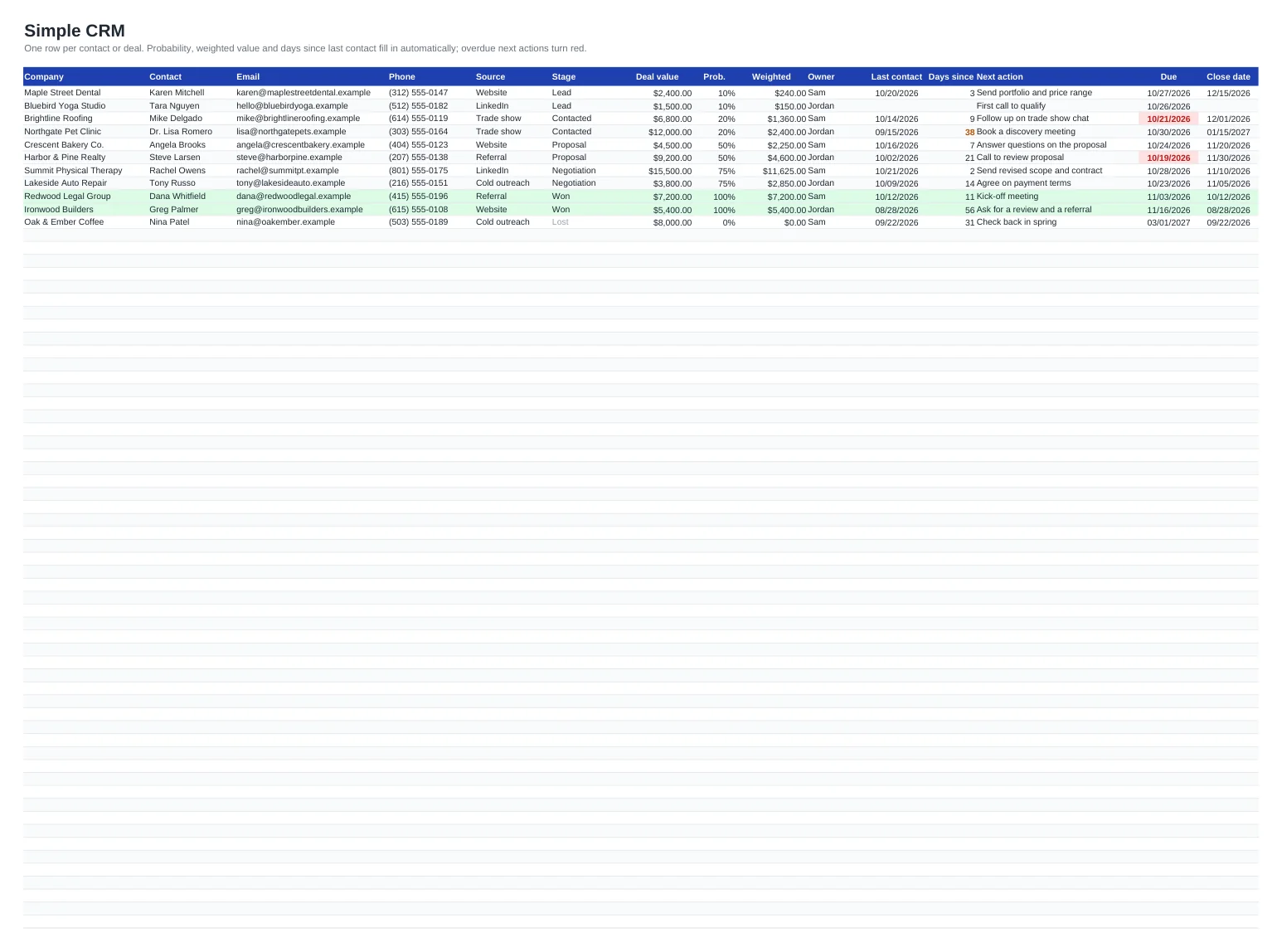
Not every business needs a monthly CRM subscription. If you are a freelancer, a consultant or a team of two or three, a well-built spreadsheet covers the essentials: who you are talking to, where each deal stands, what you promised to do next and by when. This template puts all of that on one Contacts sheet, with one row per company or opportunity.
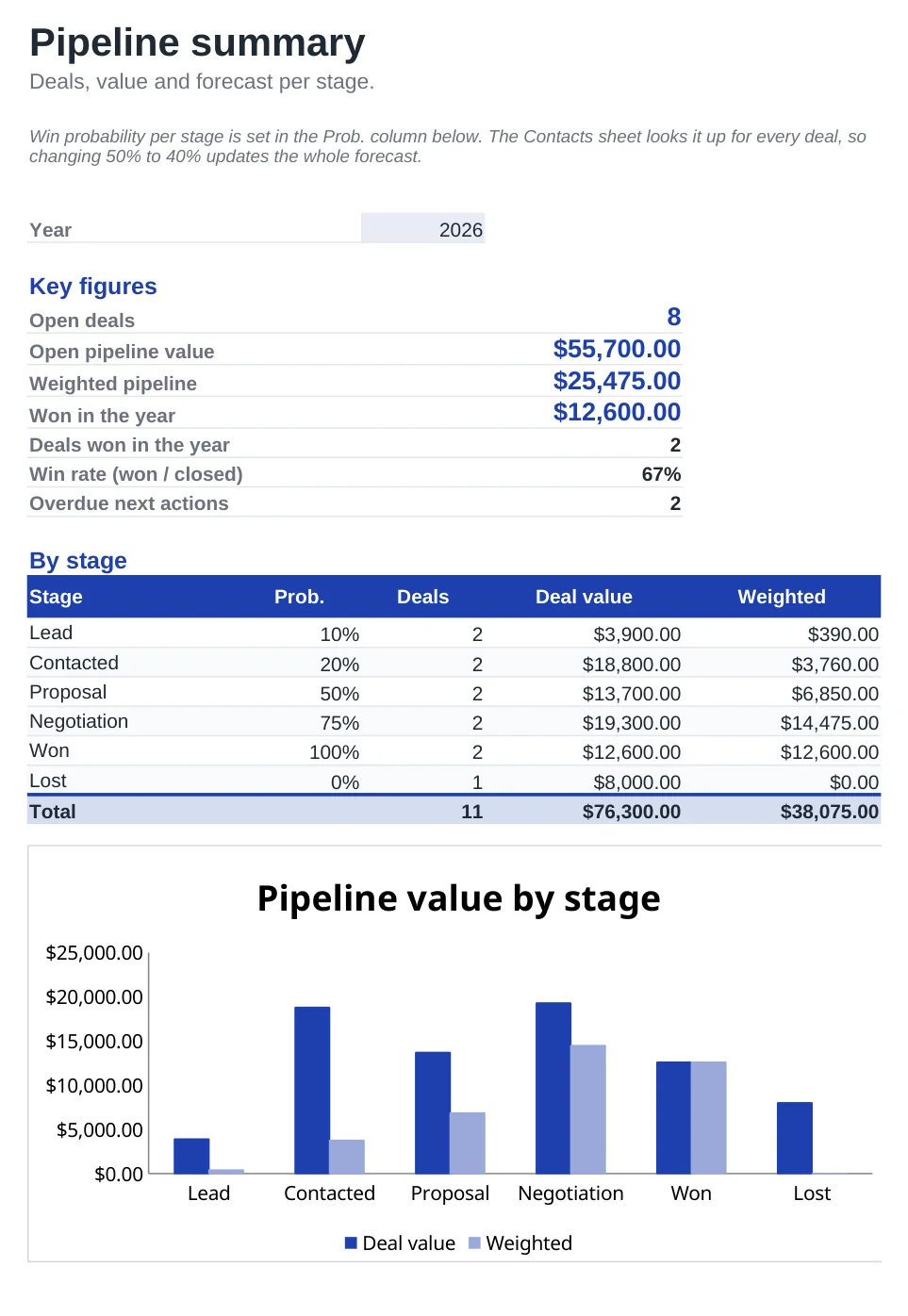
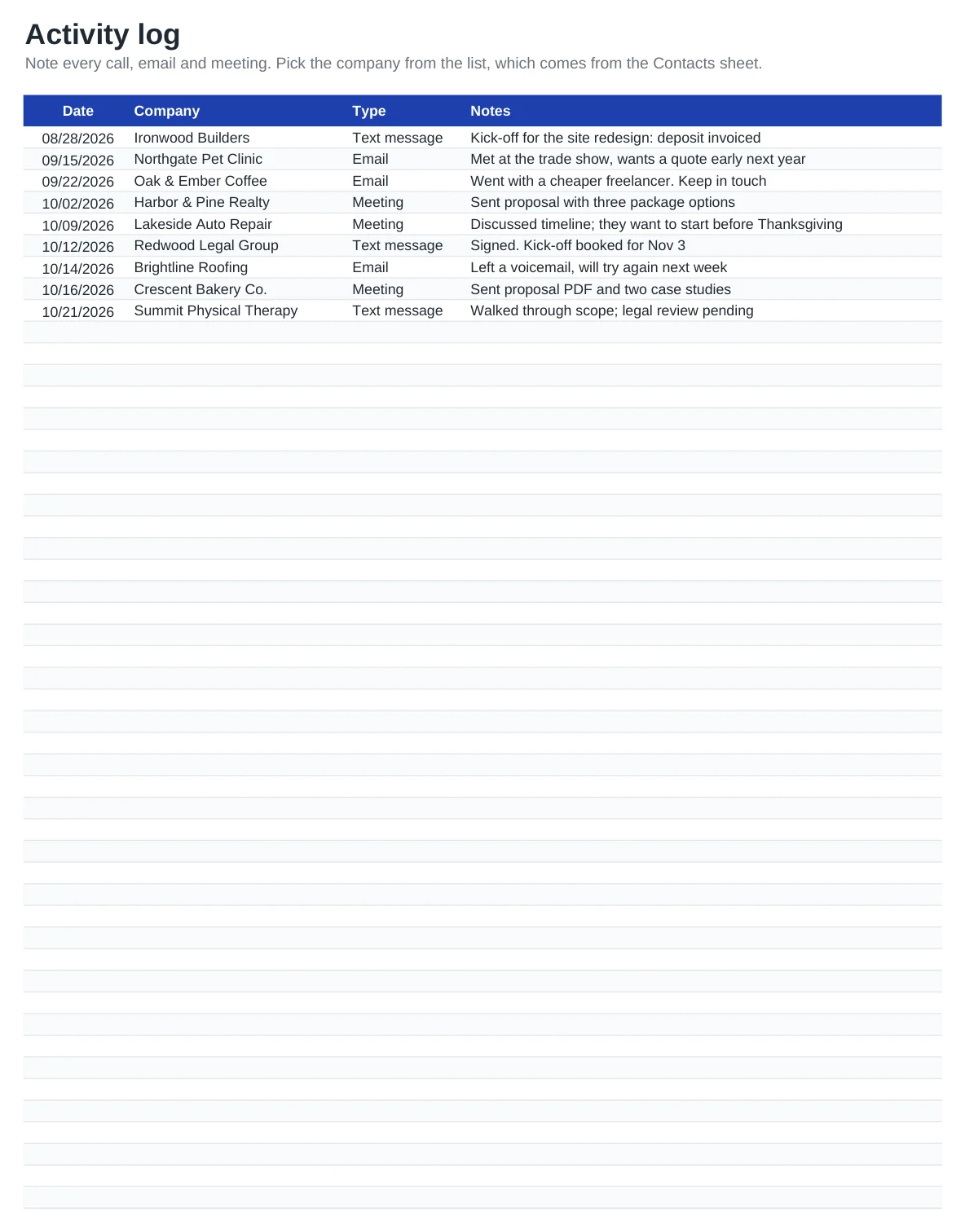
Pick a stage from the drop-down and the win probability and weighted value fill in on their own. A Days since column tells you which leads have gone quiet, and any next action past its due date turns red. The Pipeline sheet adds it all up by stage, shows what you have won this year and your win rate, and the Activity log keeps a dated record of every call, email and meeting.
What's included
- Contacts sheet with company, contact, email, phone, lead source, stage, deal value, owner and close date
- Win probability looked up from the stage, plus a weighted value for every deal
- Days since last contact, with quiet leads (30+ days) flagged in orange and overdue next actions in red
- Pipeline summary: open deals, open and weighted pipeline, won this year, win rate and a chart by stage
- Activity log with a company drop-down fed by the Contacts sheet, usable in Excel, Google Sheets and LibreOffice alike
How to use it
- Delete the sample rows on the Contacts and Activity log sheets.
- Add each prospect or customer with their source, stage and an estimated deal value.
- Write the next action and a due date for every open deal, even if it is just "call back".
- After each touchpoint, update Last contact and log it on the Activity log sheet.
- Once a week, open the Pipeline sheet and work through the red dates first.
Keeping a spreadsheet CRM useful
The column that matters most is Next action. A deal without a next step and a date is a deal you will forget, so never leave it blank on an open row. When something is won or lost, change the stage and set the close date; the row turns green or grey and drops out of the open pipeline.
The default probabilities (10 % for a lead up to 75 % in negotiation) are a starting point. After a few months, compare them with your real results and adjust them on the Pipeline sheet so the weighted forecast reflects how your deals actually close.
Privacy: the US has no single federal privacy law for this kind of list, and rules vary by state and industry. A sensible baseline anywhere: store only the details you need to do business, get permission before adding people to marketing emails, keep the file somewhere access-controlled and delete a person's data when they ask. This is general guidance, not legal advice.
Frequently asked questions
Is this CRM template really free?
Yes. Download the Excel file or make a copy in Google Sheets and use it for as many contacts as you like, with no sign-up and no trial period.
How is the weighted pipeline calculated?
Each deal value is multiplied by the win probability of its stage, taken from the table on the Pipeline sheet. The weighted pipeline adds those amounts for every deal that is not yet won or lost.
Can I rename the stages or change the probabilities?
Yes. Edit them in the By stage table on the Pipeline sheet; the Stage drop-down on the Contacts sheet uses that list. Keep Won and Lost, with exactly those names, in the last two rows: the key figures and the colour highlighting depend on them.
Can several people use it at the same time?
In Google Sheets, yes: share the copy and everyone edits the same file. Use the Owner column so each person can filter for their own deals.
When should I move to a paid CRM?
When you need automatic email logging, many users with different permissions or a few thousand contacts. Until then, a spreadsheet you actually update beats a CRM nobody opens.
Question or problem with this template? Contact us