CRM Spreadsheet for Small Businesses
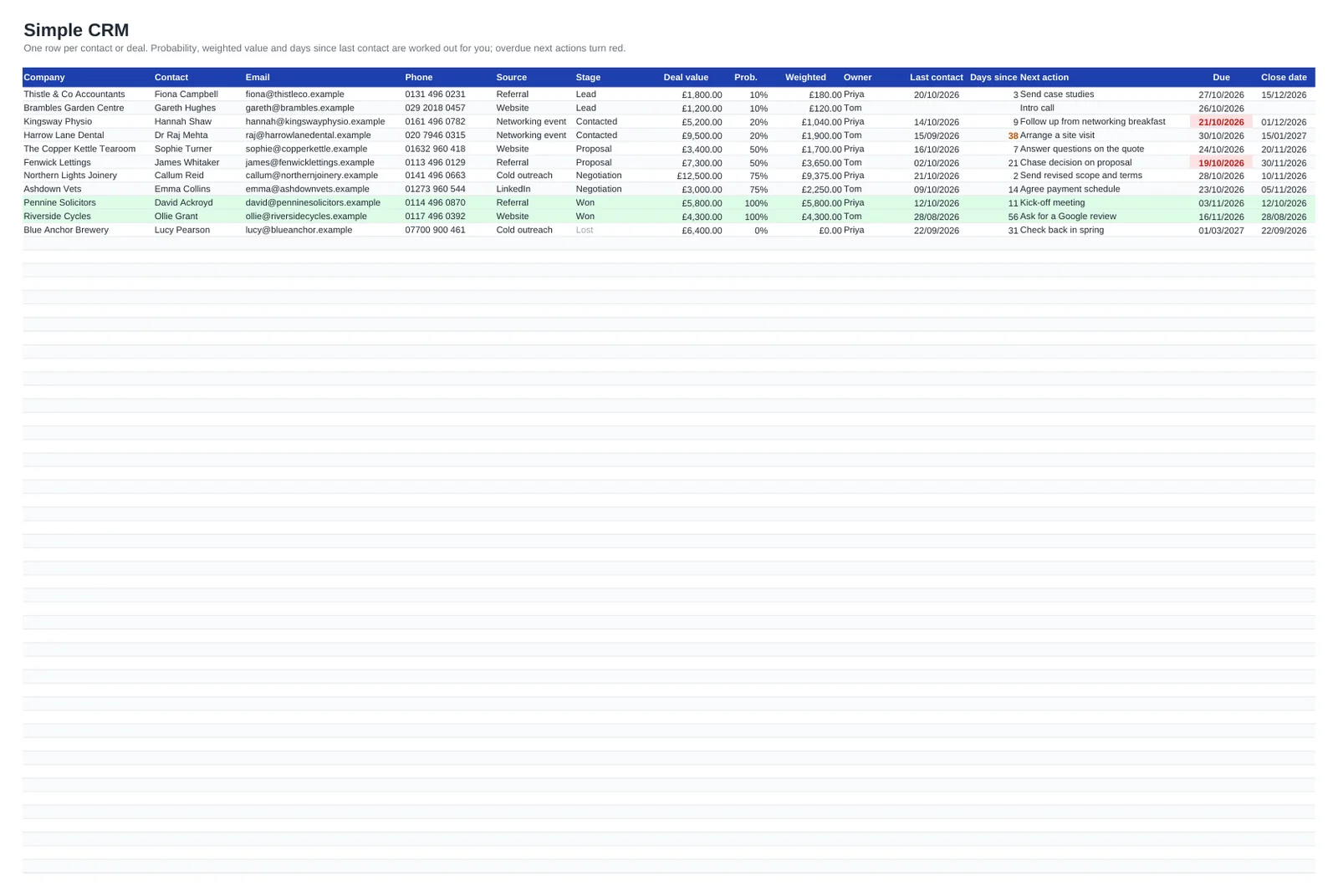
For a sole trader, a small agency or a growing practice, a full CRM system can be more admin than it saves. This spreadsheet keeps the bits that matter: every client and prospect on one sheet, the stage each enquiry has reached, its value in pounds, who is looking after it and the next thing you have agreed to do.
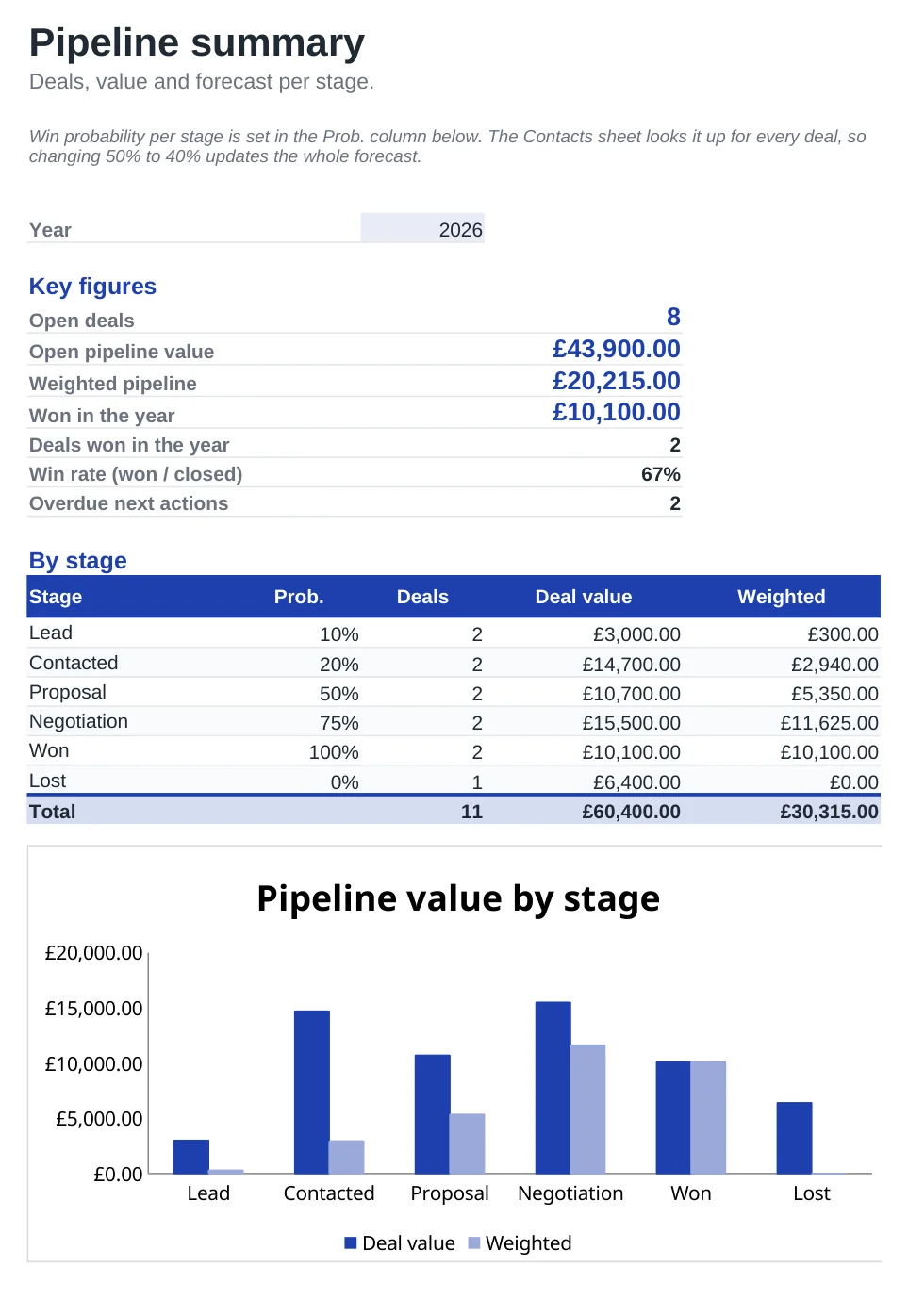
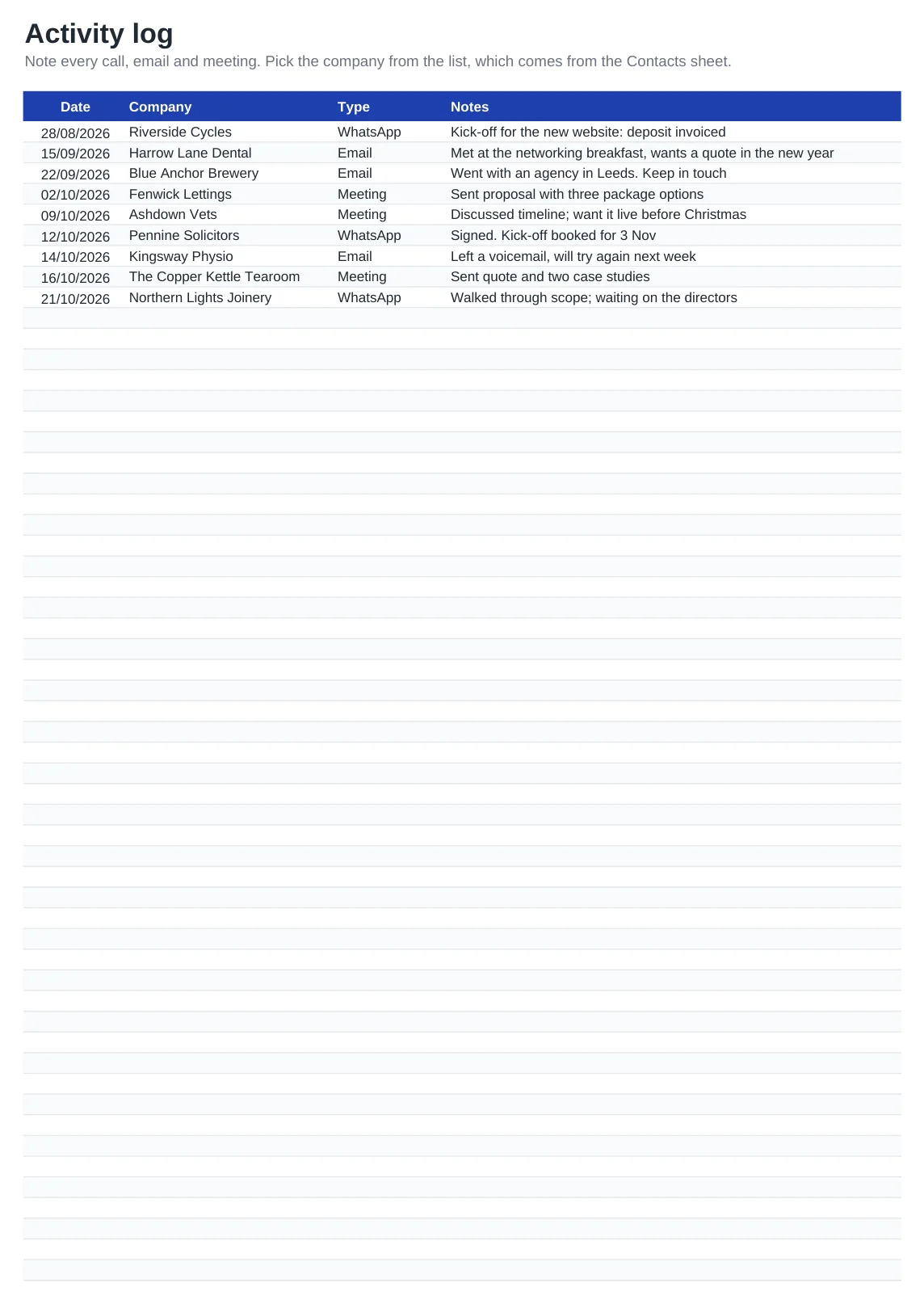
Choose a stage and the probability and weighted value are worked out for you. Leads you have not spoken to for 30 days or more show in orange, and follow-ups past their due date go red. The Pipeline sheet totals everything by stage with a chart, your win rate and what you have won in the year, while the Activity log records calls, emails, meetings and WhatsApp messages with a date.
What's included
- One row per client or enquiry: company, contact, email, phone, source, stage, value in £, owner and close date
- Probability set per stage and a weighted value calculated for each deal
- Days since last contact, with stale leads in orange and overdue follow-ups in red
- Pipeline sheet with open and weighted pipeline, won in the year, win rate and a chart by stage
- Activity log with a drop-down of your companies. Opens in Excel, Google Sheets and LibreOffice, prints on A4
How to use it
- Clear the sample clients and activities.
- Enter each client or enquiry with its source, stage and an estimated value.
- Give every open deal a next action and a due date.
- Update Last contact after each conversation and add a line to the Activity log.
- Review the Pipeline sheet weekly, starting with anything in red.
Getting the most from a spreadsheet CRM
Treat the Next action column as your to-do list. Sort or filter by Due each Monday and you have the week's follow-ups in order. When a deal is won or lost, set the stage and the close date so it leaves the open pipeline but stays in your history.
The value column is for your fee or contract value before VAT. Keeping it net makes the pipeline comparable with your sales figures and avoids overstating it if you are VAT registered.
UK GDPR: names, emails and phone numbers of individuals are personal data, even in a business contact list. Keep only what you need, have a clear reason to hold it, get consent before adding anyone to marketing emails, keep the file password-protected or in a shared drive with limited access and delete someone's details when they ask. The ICO website has guidance for small businesses; this is not legal advice.
Frequently asked questions
Is the CRM spreadsheet free?
Yes, completely. Grab the Excel file or make your own copy in Google Sheets. There is no sign-up and no paid upgrade.
Does the deal value include VAT?
That is up to you, but we suggest entering values net of VAT so the pipeline matches your turnover figures. Just be consistent across all rows.
How do I change the sales stages?
Edit the stage names and percentages in the By stage table on the Pipeline sheet. The Stage drop-down on the Contacts sheet follows that list. Leave Won and Lost, with those exact names, in the last two rows, as the key figures and highlighting rely on them.
Is a spreadsheet CRM compliant with UK GDPR?
A spreadsheet can be used in a compliant way if you collect only what you need, protect the file and act on requests to see or delete data. The template does not do this for you, so set up access and a deletion routine yourself.
Question or problem with this template? Contact us