Invoice Template (UK, with VAT)
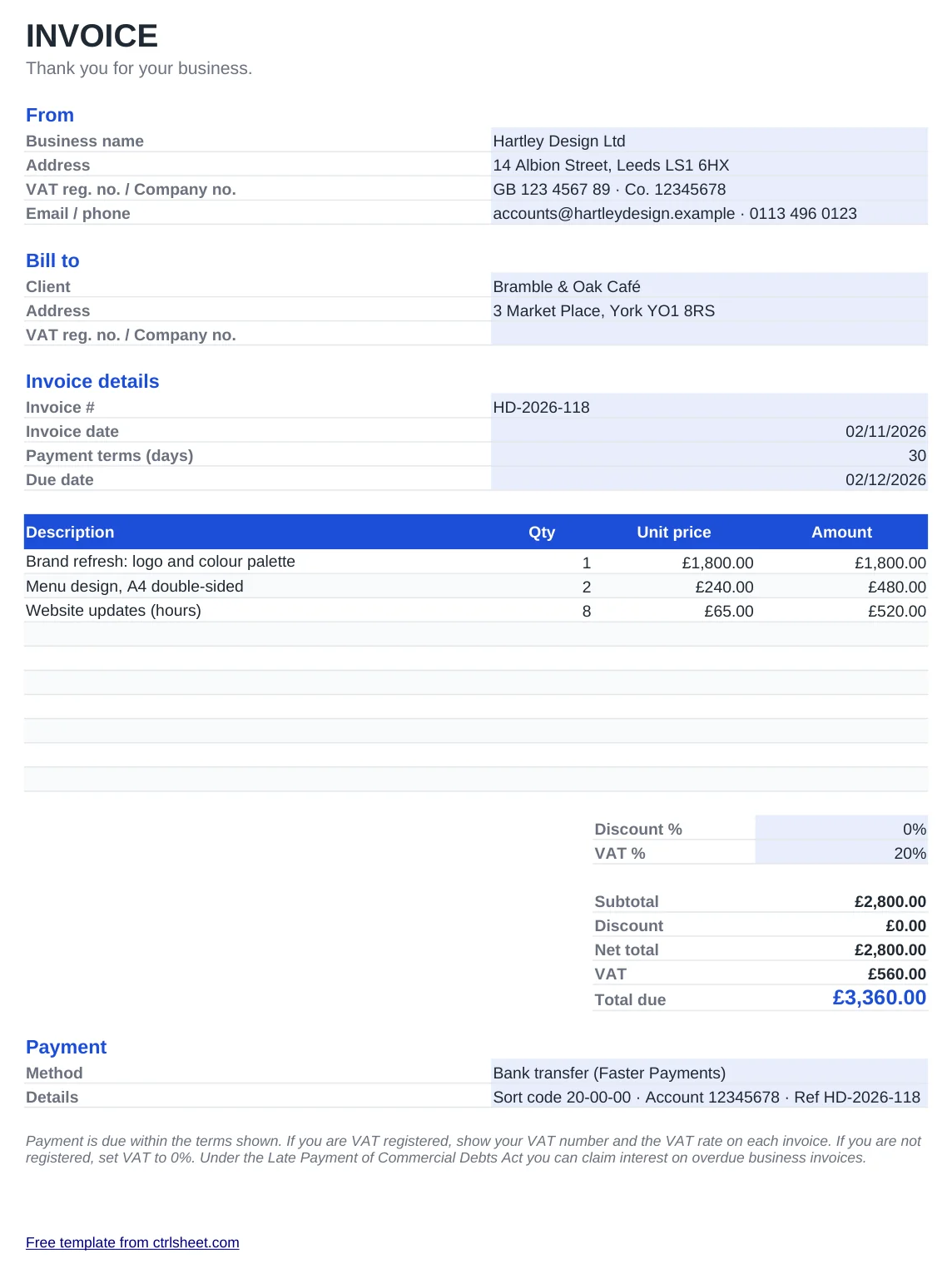
Send a professional invoice in a few minutes. Add your business details once, then the client, the work and the price. The template works out line totals, the net amount, VAT and the total due, and the due date follows your payment terms.
It is built for UK sole traders and limited companies: pounds, UK dates, A4 printing, a field for your VAT registration and company number, and payment details for a UK bank transfer.
What's included
- Automatic line totals, net total, discount, VAT and total due
- VAT rate you can change: 20% standard, 5% reduced or 0% if you are not registered
- Due date calculated from the invoice date and your payment terms
- Fields for VAT number, company number, sort code and account number
- Prints on one A4 page and saves neatly as PDF. Works in Excel, Google Sheets and LibreOffice
How to use it
- Fill in your business name, address, VAT and company numbers in the From block.
- Add your client's name and address.
- Set a unique invoice number, the invoice date and your payment terms in days.
- List each product or service with quantity and unit price.
- Check the VAT rate, save as PDF and email it to your client.
What a UK invoice must include
Every invoice needs a unique, sequential invoice number, the date, your business name and address, the customer's name and address, a clear description of what you supplied, and the amount due. Limited companies should also show the registered company name and number.
If you are VAT registered, add your VAT number, the date of supply, the rate charged and the VAT amount. You must register once your taxable turnover goes over £90,000 in a 12-month period. Below that, set VAT to 0%.
From April 2026, Making Tax Digital for Income Tax applies to sole traders and landlords with qualifying income over £50,000. Keeping invoices in a consistent, numbered format makes those quarterly updates much easier.
Frequently asked questions
Is this invoice template free for business use?
Yes. Use it for as many invoices as you like, without attribution and without sign-up.
I'm not VAT registered. What do I do?
Set the VAT percentage to 0%. The VAT line will show zero and the total due will equal the net total. Don't show a VAT number.
How do I save it as a PDF?
In Excel choose File, Save As and pick PDF. In Google Sheets use File, Download, PDF. The print area is already set to one A4 page.
Can I add my logo?
Yes. Use Insert, Pictures and place your logo to the right of the INVOICE title.