Weekly Timesheet Template
Record working hours in minutes, not hours. Type each day's start time, finish time and unpaid break, and the timesheet works out daily hours, the weekly total, overtime and gross pay. Night shifts that finish after midnight are calculated correctly.
It checks rest breaks against the Working Time Regulations: if someone works more than 6 hours without a 20-minute break, the break turns red. Overtime starts above the contracted weekly hours you enter.
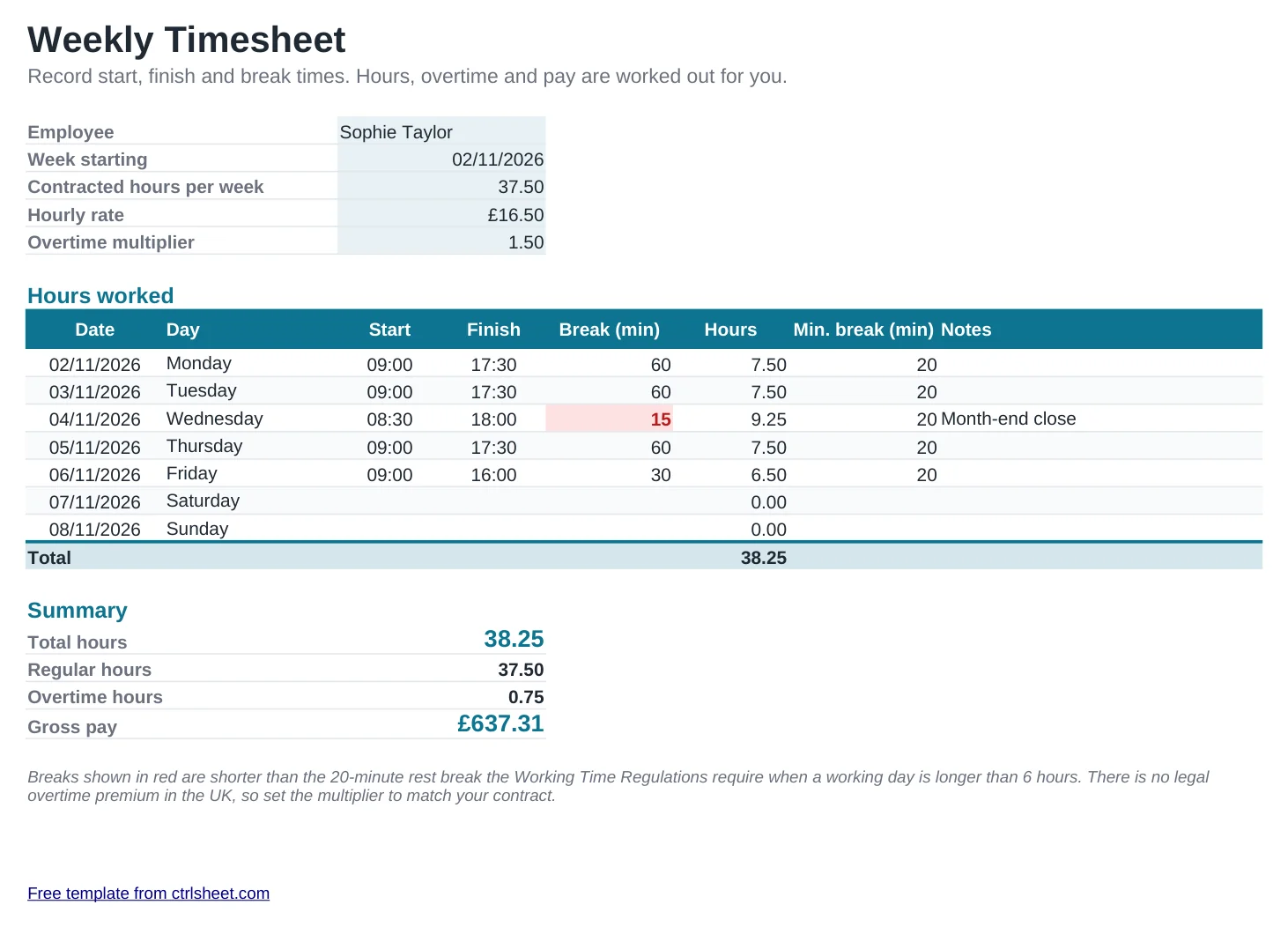
What's included
- Daily hours from start, finish and unpaid break, including night shifts
- Weekly total split into contracted hours and overtime
- Gross pay with an overtime multiplier you set to match the contract
- Rest-break check against the 20-minute rule for days over 6 hours
- Prints on one landscape A4 page for sign-off
How to use it
- Enter the worker's name and the week commencing date.
- Set the contracted hours per week and the hourly rate.
- Type start and finish times each day, for example 09:00 and 17:30.
- Add the unpaid break in minutes and check for any red warnings.
- Review the totals, then print or save as PDF for approval.
UK working time essentials
Workers are entitled to a 20-minute rest break when they work more than 6 hours in a day, 11 consecutive hours' rest between working days and a weekly rest of 24 hours.
The average working week is capped at 48 hours over a 17-week reference period, unless the worker has signed an opt-out. There is no legal right to extra pay for overtime, but average pay for all hours worked must not fall below the National Minimum Wage.
Keep timesheets for at least six years: HMRC can ask employers for records that show they paid at least the minimum wage.
Frequently asked questions
Is this timesheet free?
Yes. Use it for employees, contractors or yourself, with no sign-up.
Does it work for contractors who invoice by the hour?
Yes. Set the overtime multiplier to 1 and use the gross pay figure as the amount to invoice.
Can it handle night shifts?
Yes. A shift from 22:00 to 06:00 is counted as 8 hours minus the unpaid break.
Why is a break shown in red?
Because the working time that day is over 6 hours and the break is shorter than the 20 minutes the Working Time Regulations require.