Weekly Timesheet Template
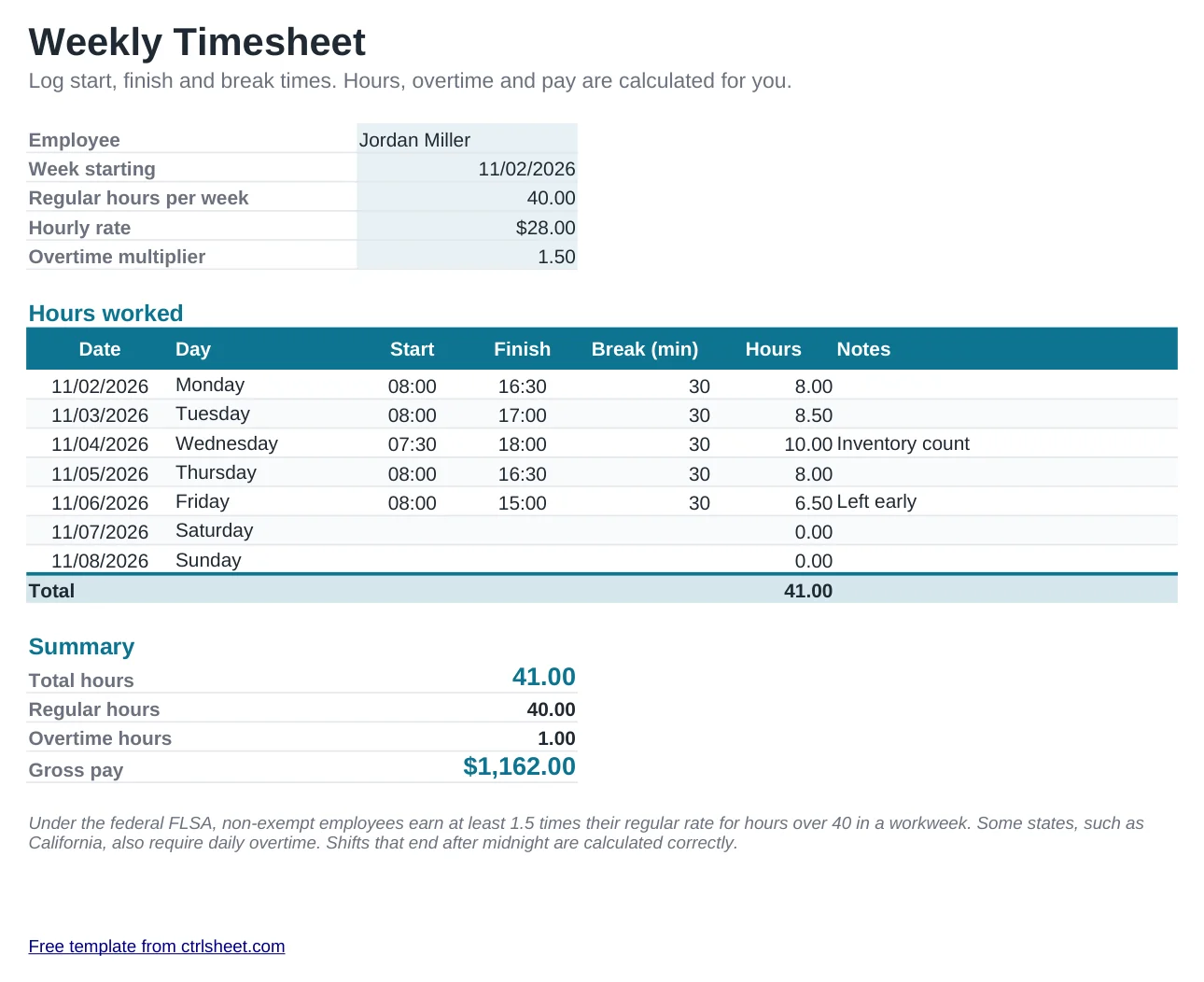
Track hours without a time clock app. Type each day's start time, finish time and unpaid break, and the timesheet calculates daily hours, the weekly total, overtime and gross pay. Shifts that run past midnight are handled correctly.
It follows the federal rule for non-exempt employees: hours over 40 in the workweek are overtime at 1.5 times the regular rate. Change the regular hours or the multiplier if your state or contract uses different rules.
What's included
- Daily hours from start, finish and unpaid break, including overnight shifts
- Weekly total split into regular and overtime hours
- Gross pay with an editable overtime multiplier
- Dates and weekday names filled in from the week start date
- Prints on one landscape page for signing. Works in Excel, Google Sheets and LibreOffice
How to use it
- Enter the employee's name and the first day of the workweek.
- Check the regular hours per week and the hourly rate.
- Type start and finish times each day, for example 08:00 and 16:30.
- Add the unpaid break in minutes.
- Review the totals, print or save as PDF and have it signed.
Overtime rules worth knowing
Under the Fair Labor Standards Act, overtime is based on the workweek, a fixed period of seven consecutive days set by the employer. Hours can't be averaged across two weeks.
Some states add daily overtime. California, for example, requires overtime after 8 hours in a day and double time after 12. Check your state's labor department for local rules.
Short rest breaks of 5 to 20 minutes are generally paid time. Bona fide meal periods of 30 minutes or more can be unpaid, which is what the break column is for.
Frequently asked questions
Is this timesheet template free?
Yes. Use it for yourself, your staff or your clients, with no sign-up.
How do I track two weeks?
Copy the sheet for each workweek. Overtime under federal law is calculated per workweek, so keep weeks separate.
Can it handle night shifts?
Yes. If a shift starts at 22:00 and ends at 06:00, the sheet counts 8 hours minus the break.
How do I enter times?
Type them with a colon, such as 7:45 or 17:15. Excel and Google Sheets recognise them as times automatically.