Employee Work Schedule Template
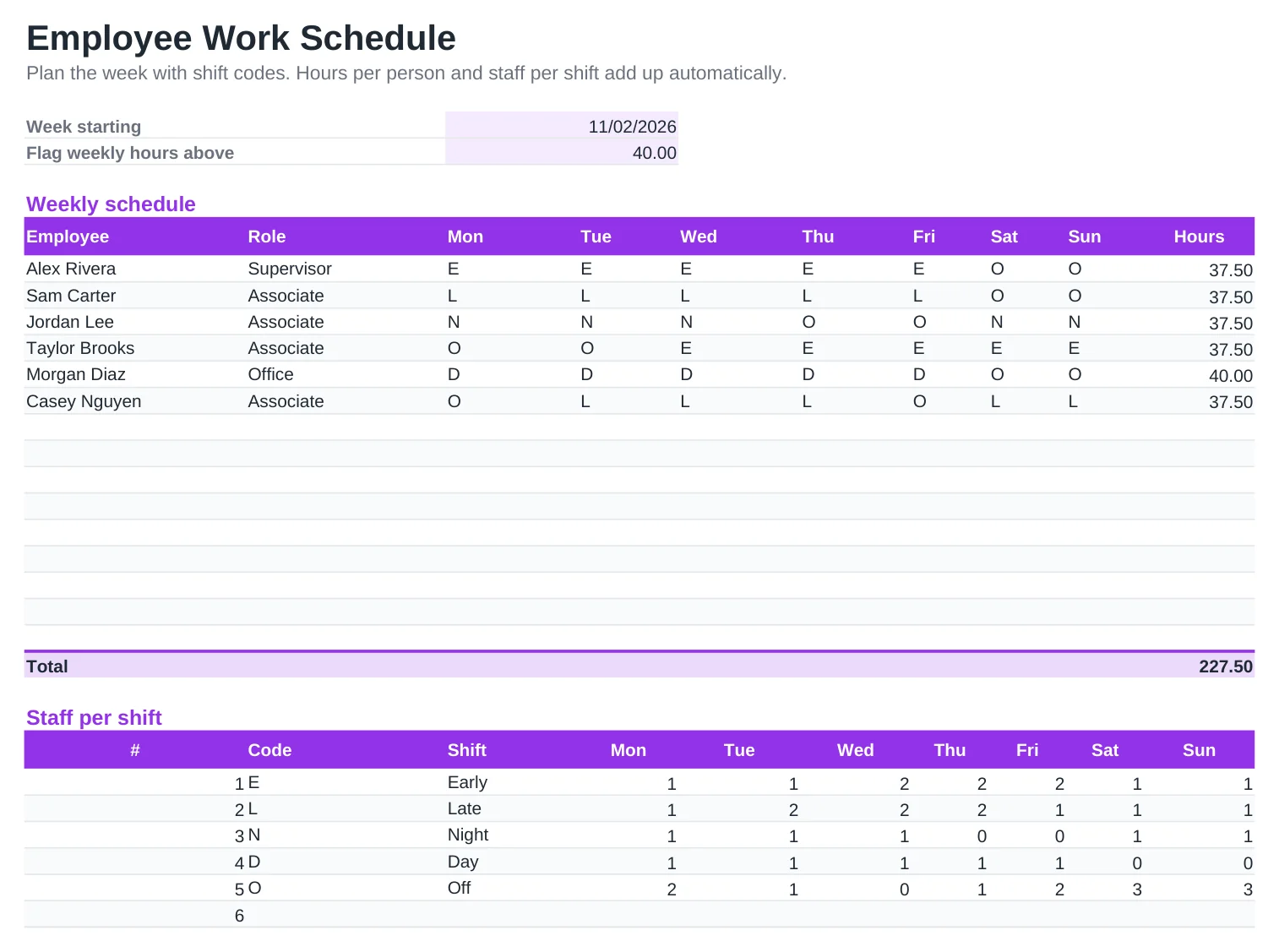
Build next week's schedule in minutes. Type a shift code for each person and day, such as E for early or N for night, and the sheet adds up each employee's hours and counts how many people are on every shift.
Anyone scheduled above the weekly limit is highlighted, so you can spot overtime before it lands on payroll. Edit the shift codes table to match your own hours, including overnight shifts and unpaid breaks.
What's included
- Weekly grid with shift-code drop-downs for up to 15 employees
- Hours per employee calculated from your shift codes
- Staff count per shift and day to check coverage
- Highlight for anyone above the weekly hours limit
- Editable shift codes with start, end and unpaid break, including overnight shifts
How to use it
- Set the week start date and the weekly hours limit.
- Adjust the shift codes, times and breaks to match your business.
- Add your employees and their roles.
- Pick a shift code for each person and day.
- Check coverage per shift, then print or share the schedule with your team.
Scheduling tips
Publish schedules at least a week ahead. Several cities and states, including New York City, Chicago, Seattle and Oregon, have predictive scheduling laws that require advance notice for many retail, food service and hospitality workers.
Watch the hours column. Under federal law, non-exempt employees earn overtime above 40 hours in a workweek, so it pays to balance shifts before the week starts.
Avoid a closing shift followed by an opening shift. "Clopening" leaves too little rest, hurts morale and is restricted in some cities.
Frequently asked questions
Is the schedule template free?
Yes. Download it and use it for your business, with no sign-up.
Can I add more shifts?
Yes. Add a code to the Shift codes table with its start and end times. It appears in the drop-down lists right away.
Does it work for overnight shifts?
Yes. A shift from 22:00 to 06:00 is counted as 8 hours minus the unpaid break.
How do I plan the next week?
Copy the sheet, change the week start date and adjust the shifts.