Invoice Template
Send a clean, professional invoice in minutes. Fill in your business details once, add the client and line items, and the template calculates amounts, discount, sales tax and the total due. The due date updates from your payment terms.
The layout prints on a single US Letter page and exports neatly to PDF. It suits freelancers, consultants, contractors and small businesses that do not need full accounting software yet.
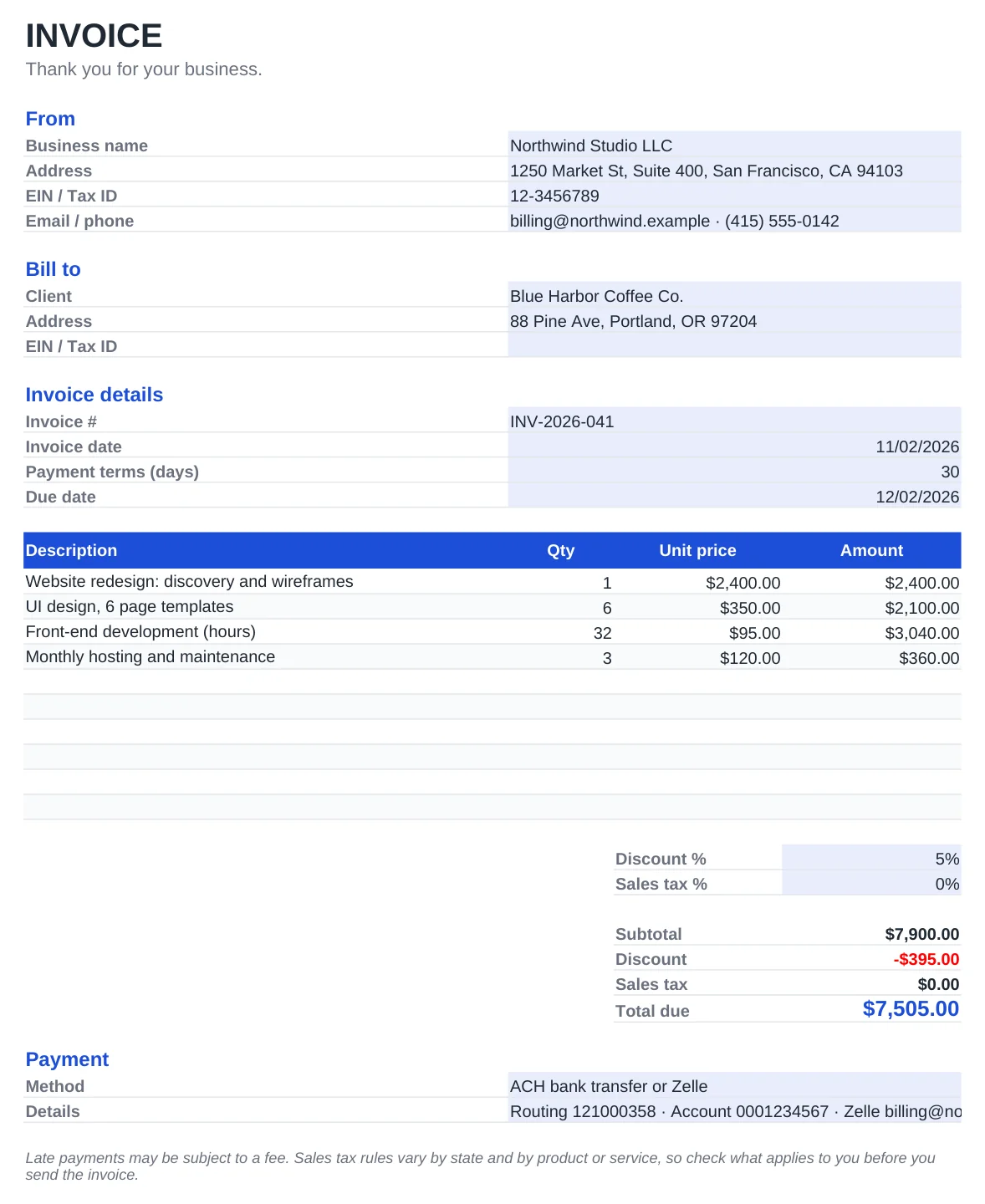
What's included
- Automatic line totals, subtotal, discount, sales tax and total due
- Due date calculated from the invoice date and your payment terms (Net 15, Net 30 and so on)
- Fields for EIN or tax ID, client details and payment instructions such as ACH or Zelle
- Prints on one US Letter page and saves to PDF without layout changes
- Works in Excel, Excel for Mac, Google Sheets and LibreOffice. No macros
How to use it
- Enter your business name, address, tax ID and contact details in the From block.
- Add the client name and address under Bill to.
- Set the invoice number, date and payment terms in days.
- List each product or service with quantity and unit price.
- Adjust the discount and sales tax percentages, then export to PDF and send.
Get paid faster
Use a consistent invoice numbering scheme such as INV-2026-001. It makes bookkeeping and tax season much easier, and clients can reference it when they pay.
State the payment terms and the accepted methods clearly. Invoices that include bank or Zelle details and a clear due date tend to be paid sooner.
Sales tax depends on your state and on what you sell. Many services are exempt, while most physical goods are taxable. If you are unsure, check your state's department of revenue website or ask your accountant.
Frequently asked questions
Is this invoice template free for commercial use?
Yes. You can use it for your business and send as many invoices as you like, without attribution and without sign-up.
How do I save the invoice as a PDF?
In Excel choose File, Save As and pick PDF. In Google Sheets use File, Download, PDF. The print area is already set to one page.
Can I add my logo?
Yes. Insert your logo with Insert, Pictures and place it to the right of the INVOICE title. The layout leaves room for it.
What if I don't charge sales tax?
Set the sales tax percentage to 0%. The tax line will show zero and the total due will equal the subtotal after discount.