Sales Tracker Spreadsheet
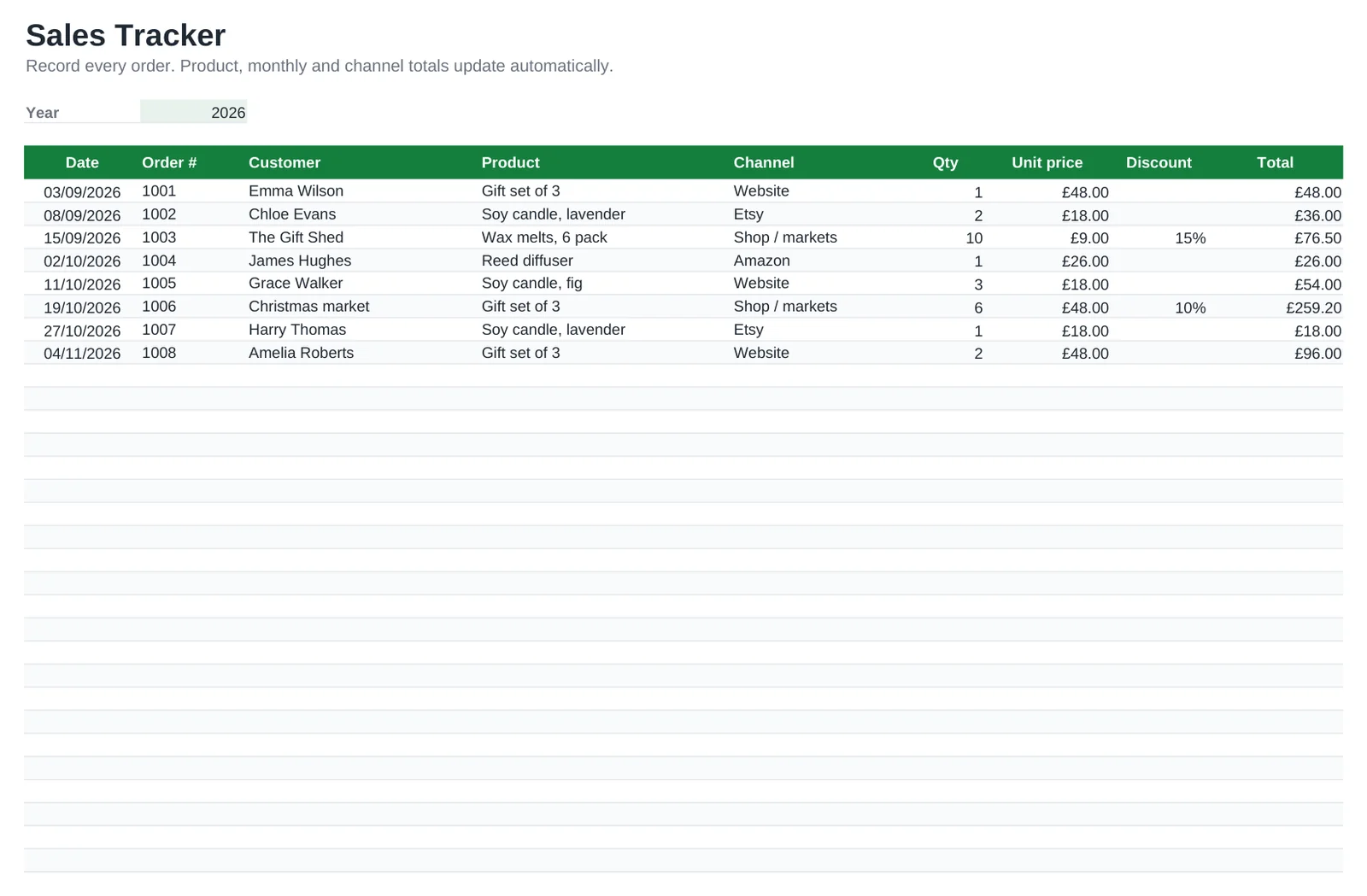
See what sells, where and when. Record each order with the date, customer, product, channel and quantity: the unit price comes from your product list and the line total is worked out, discount included.
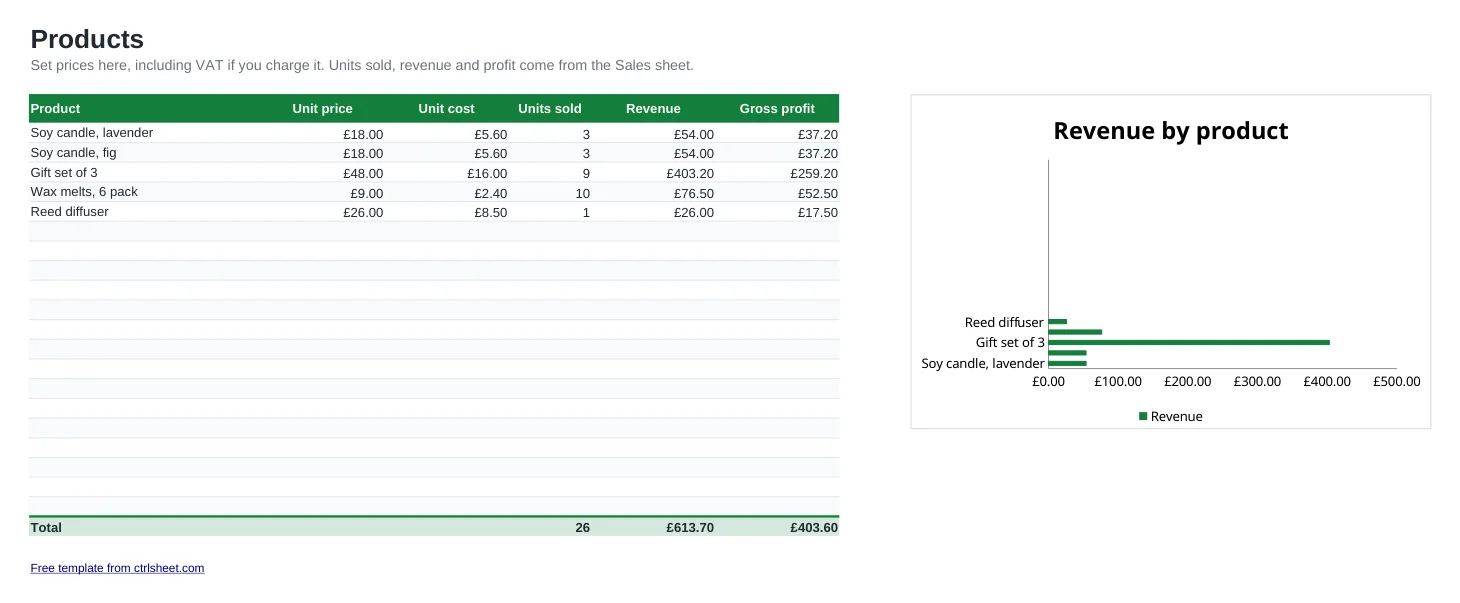
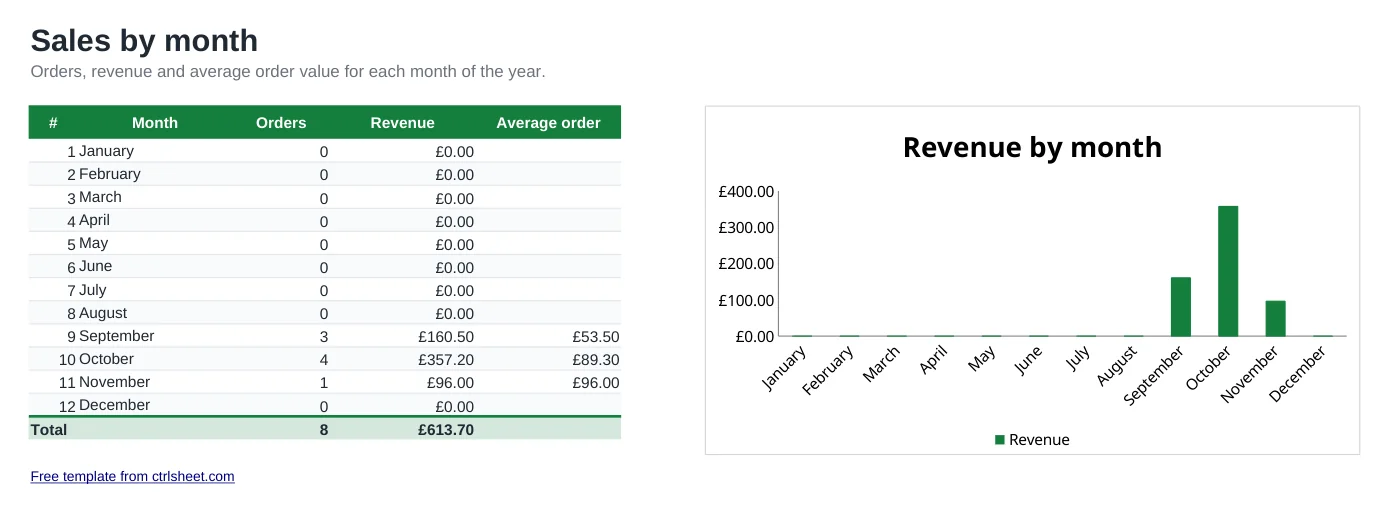
The Products sheet shows units sold, revenue and gross profit per item, and By month shows orders, revenue and average order value across the year. It suits online shops, Etsy and Amazon sellers, market traders and small service businesses.
What's included
- Order log with product and channel drop-down lists
- Unit prices filled in from your product list
- Revenue and gross profit per product, with a chart
- Monthly orders, revenue and average order value
- Room for 100 orders, and extra rows whenever you need them
How to use it
- List your products with price and unit cost on the Products sheet.
- Set the year on the Sales sheet.
- Record each order with date, customer, product, channel and quantity.
- Add any discount you gave.
- Check Products and By month for your best sellers and busiest months.
Making sense of your sales
Focus on gross profit as well as turnover. A product that sells in volume at a thin margin can earn less than a slower seller with a healthy one.
Watch your turnover against the £90,000 VAT registration threshold. Once your taxable turnover over any rolling 12 months goes above it, you must register within 30 days.
From April 2026, sole traders with qualifying income over £50,000 must keep digital records and send quarterly updates under Making Tax Digital. A tidy monthly sales log makes that much easier.
Frequently asked questions
Is the sales tracker free?
Yes. Download it and use it for your business with no sign-up.
Should prices include VAT?
If you are VAT registered and sell to consumers, enter prices including VAT and work out the VAT element separately. If you're not registered, simply enter your selling price.
Can I change the sales channels?
Yes. Edit the drop-down list for the Channel column under Data validation.
How do I start a new year?
Save a copy, clear the order rows and change the Year cell. Your products and prices stay in place.