Accounts Receivable Aging Report
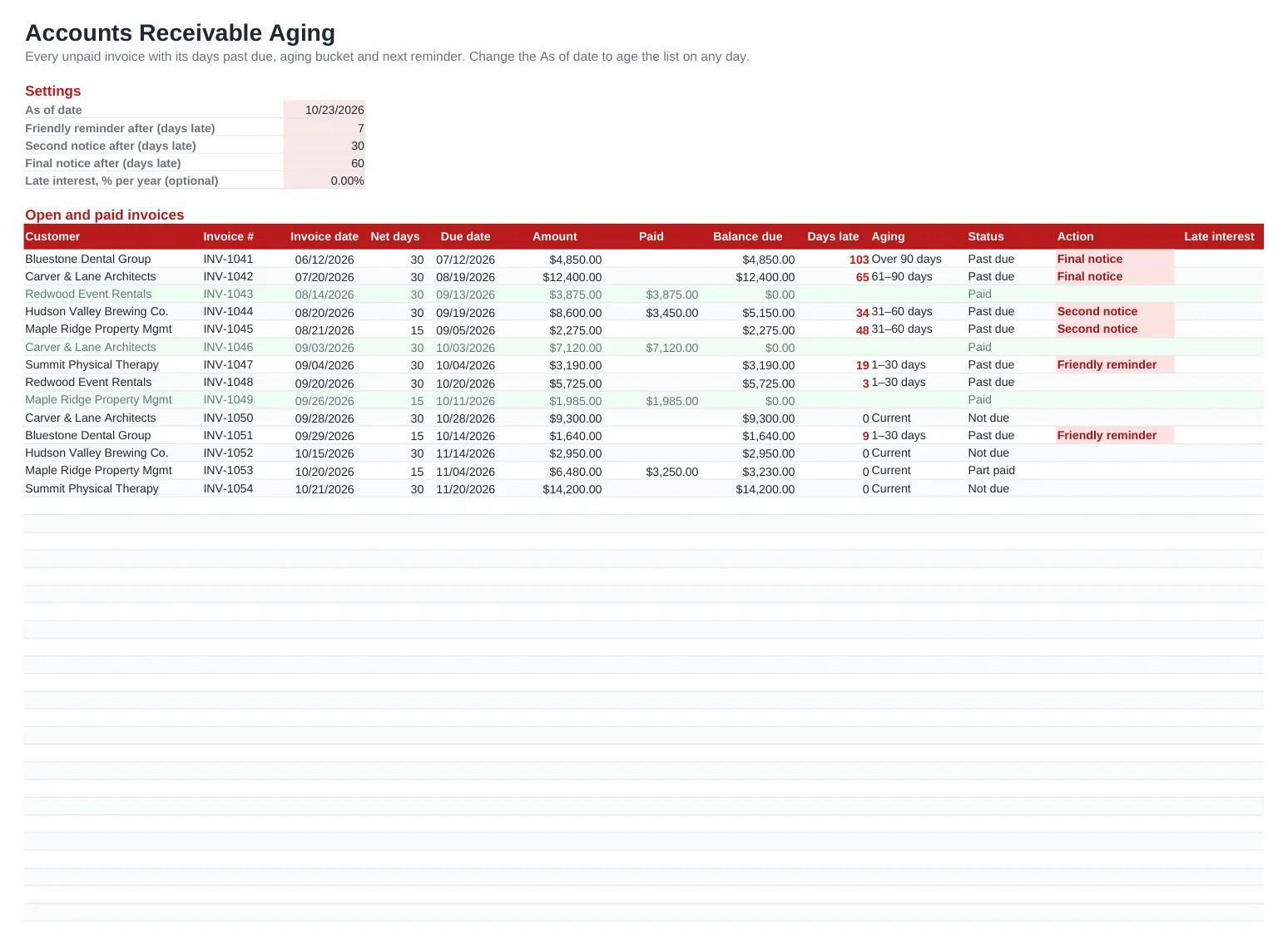
Sending invoices is the easy part; getting them paid is where small businesses lose cash. This accounts receivable aging report lists every invoice you have issued with its terms, due date and any partial payments, then works out the balance due, how many days late it is and which aging bucket it falls into: current, 1–30, 31–60, 61–90 or over 90 days.
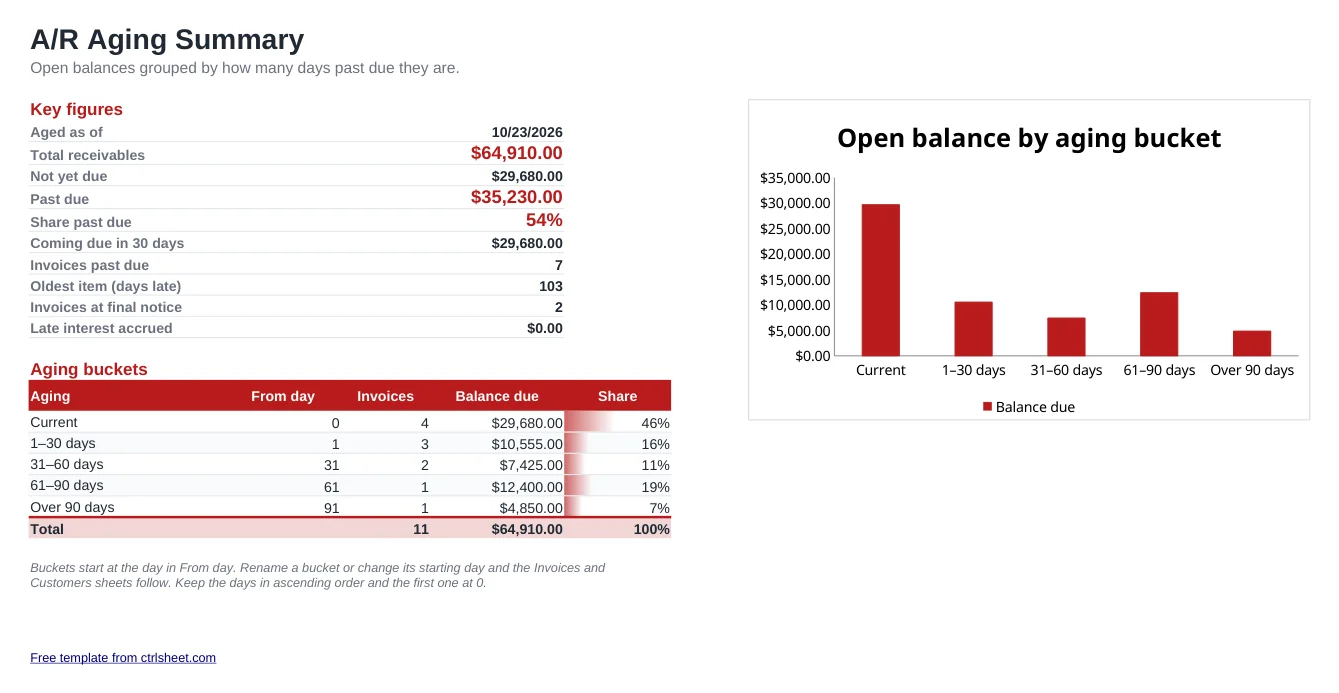
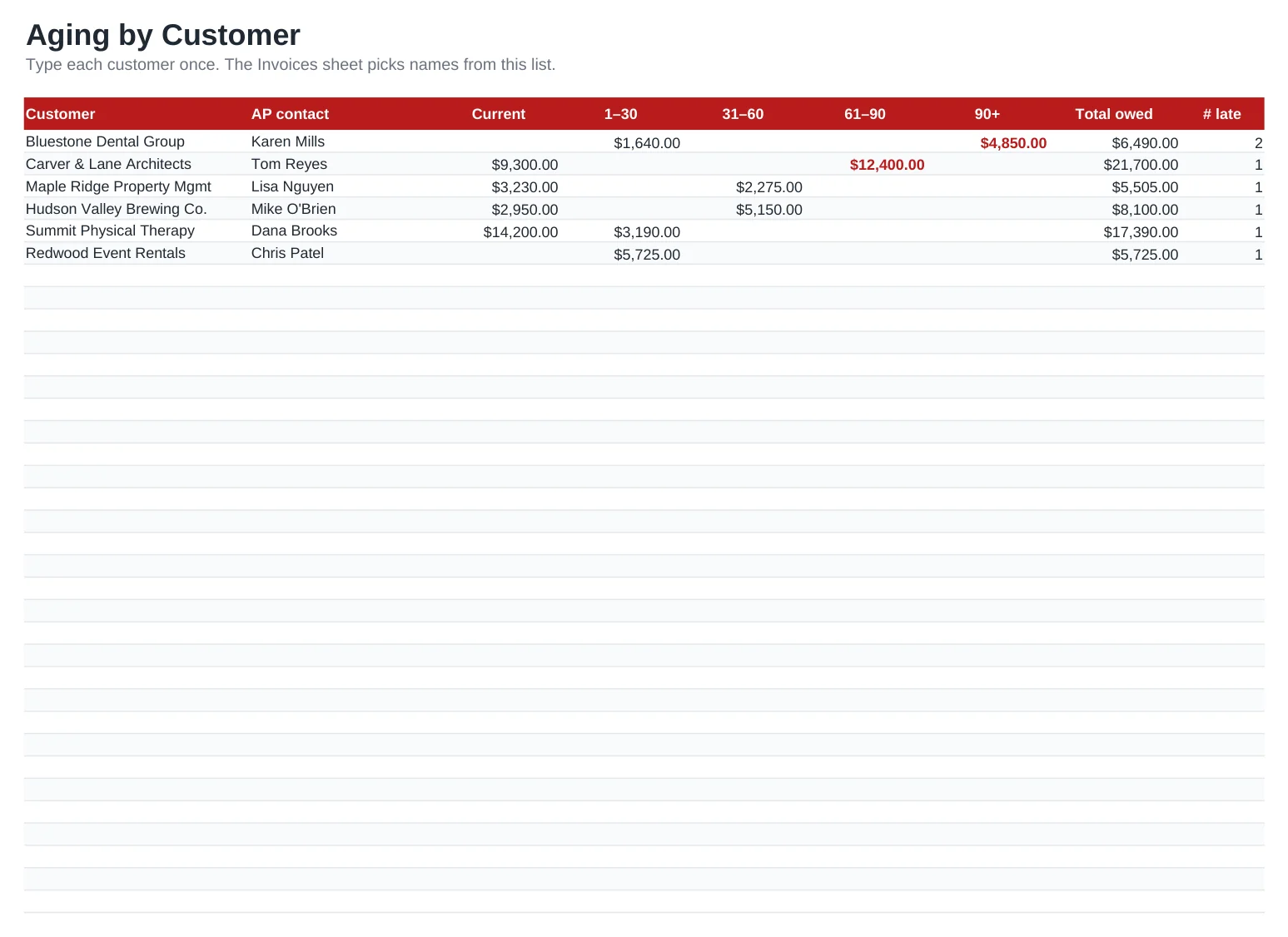
The summary sheet totals your receivables, shows how much is past due and charts the balance by bucket, while the customer sheet breaks the same buckets down per client so you know exactly who to call first. An Action column tells you whether an invoice needs a friendly reminder, a second notice or a final notice, based on day thresholds you set.
What's included
- Invoice log with net terms, due date, amount paid and balance due calculated per row
- Days past due and aging bucket (current, 1–30, 31–60, 61–90, 90+) worked out from an As of date you can change
- Collection action per invoice: friendly reminder, second notice or final notice, with your own day thresholds
- Summary with total A/R, past-due share, amounts coming due in 30 days and a bar chart by bucket
- Aging by customer with a balance per bucket, total owed and number of late invoices
- Optional late-interest rate, left at 0% until you decide to charge it. Works in Excel, Google Sheets and LibreOffice
How to use it
- Clear the sample rows on the Invoices and Customers sheets.
- List your customers once on the Customers sheet, with the person who approves payments.
- Enter each invoice: pick the customer, type the invoice number, date, net days and amount.
- Record payments in the Paid column as they arrive; part payments reduce the balance due.
- Check the Action column every week and send the reminders it shows.
- Open the Aging summary before month-end close to see how much cash is tied up and where.
Getting paid faster
Put the due date on the invoice itself, not just "Net 30". Customers schedule payments by date, and an exact date removes any argument about when the clock started.
Send the first reminder a few days after the due date, while the invoice is still fresh in your customer's AP queue. A short, polite email with the invoice attached resolves most late payments; the second and final notices are for the minority that stay silent.
Watch the over 90 days bucket closely. The older a receivable gets, the less likely it is to be collected. Many businesses stop extending credit to a customer once an invoice passes 60 days. Some states and contracts allow late fees or interest, so check your terms before adding a rate.
Frequently asked questions
What is an accounts receivable aging report?
It is a list of unpaid customer invoices grouped by how long they are past due, usually in 30-day buckets. It shows how much of your receivables is current and how much is getting old and harder to collect.
Can I enter a due date instead of net days?
Yes. The Due date column is a formula (invoice date plus net days), but you can type a date over it on any row. The days past due and the bucket use whatever date is in that cell.
How do I change the aging buckets, for example to 15-day steps?
On the Aging summary sheet, change the bucket names and the From day values, keeping them in ascending order and the first at 0. The invoice and customer sheets pick up the new buckets automatically; rename the customer sheet column headers to match.
Is this the same as the invoice template?
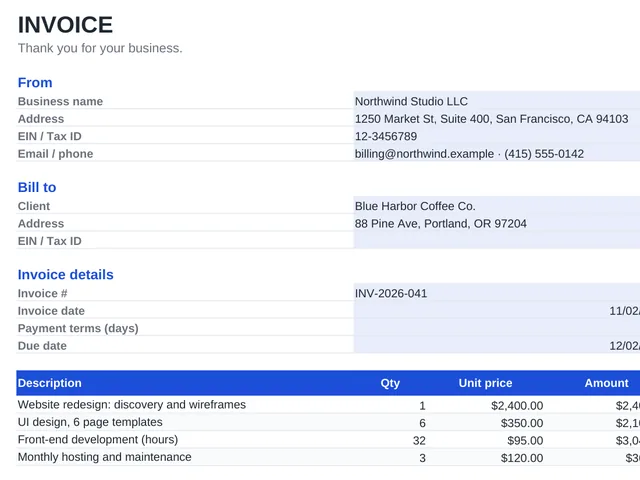
No. The invoice template creates the document you send. This tracker is where you log all invoices after sending them, follow their payment and see your aging report.
Question or problem with this template? Contact us