Aged Debtors Report
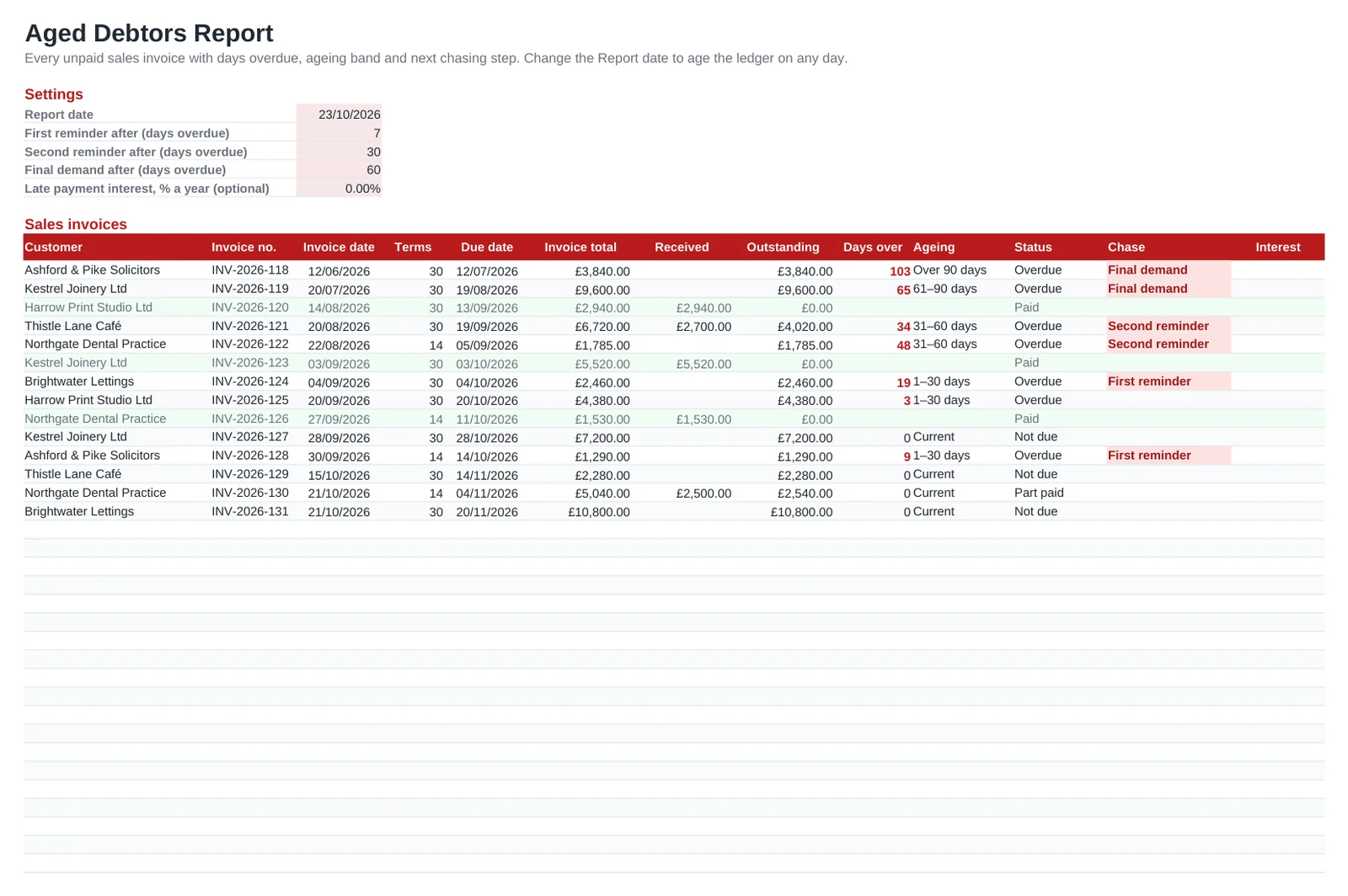
An aged debtors report is the credit controller's daily tool: which customers owe you money, how much, and how long it has been outstanding. This spreadsheet keeps your sales ledger in one list, with each invoice's payment terms, due date and any part payments, and calculates the outstanding balance, the days overdue and the ageing band: current, 1–30, 31–60, 61–90 or over 90 days.
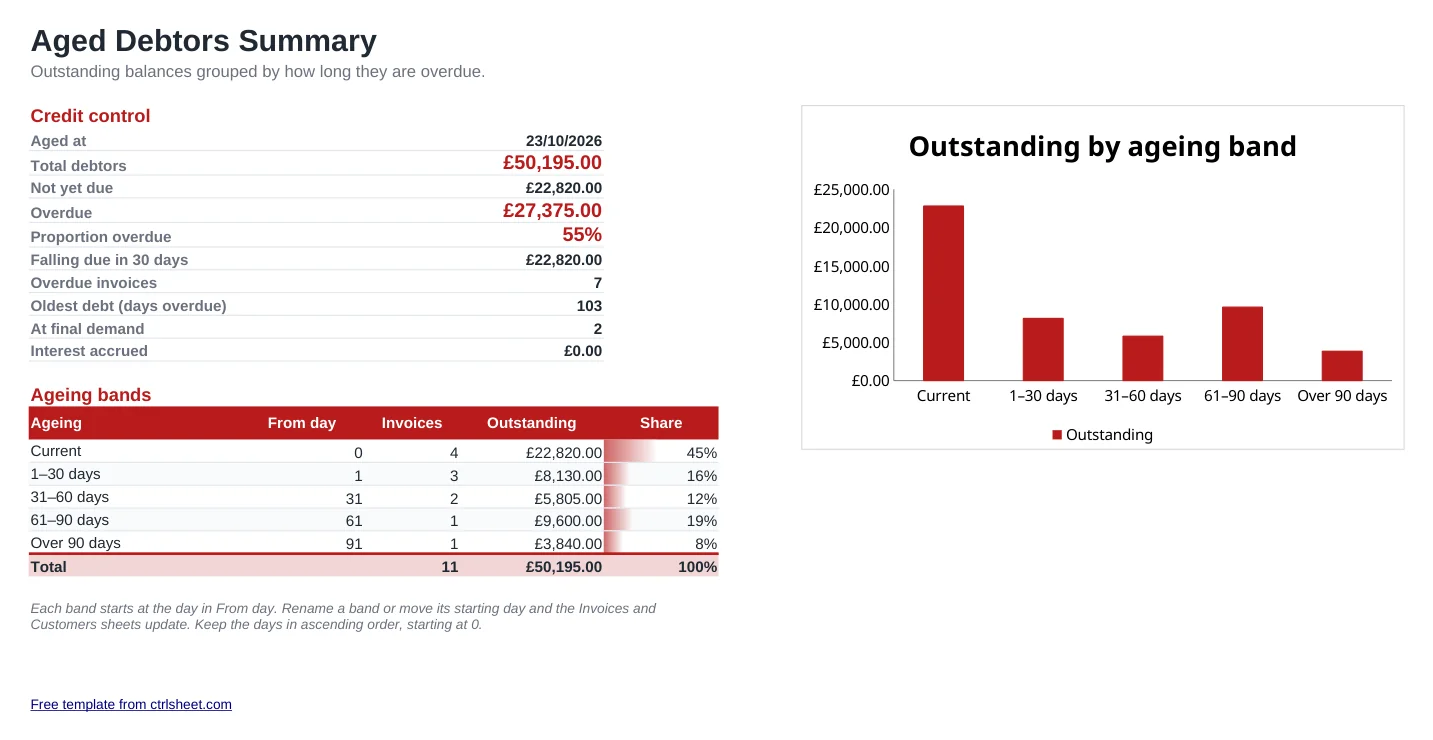
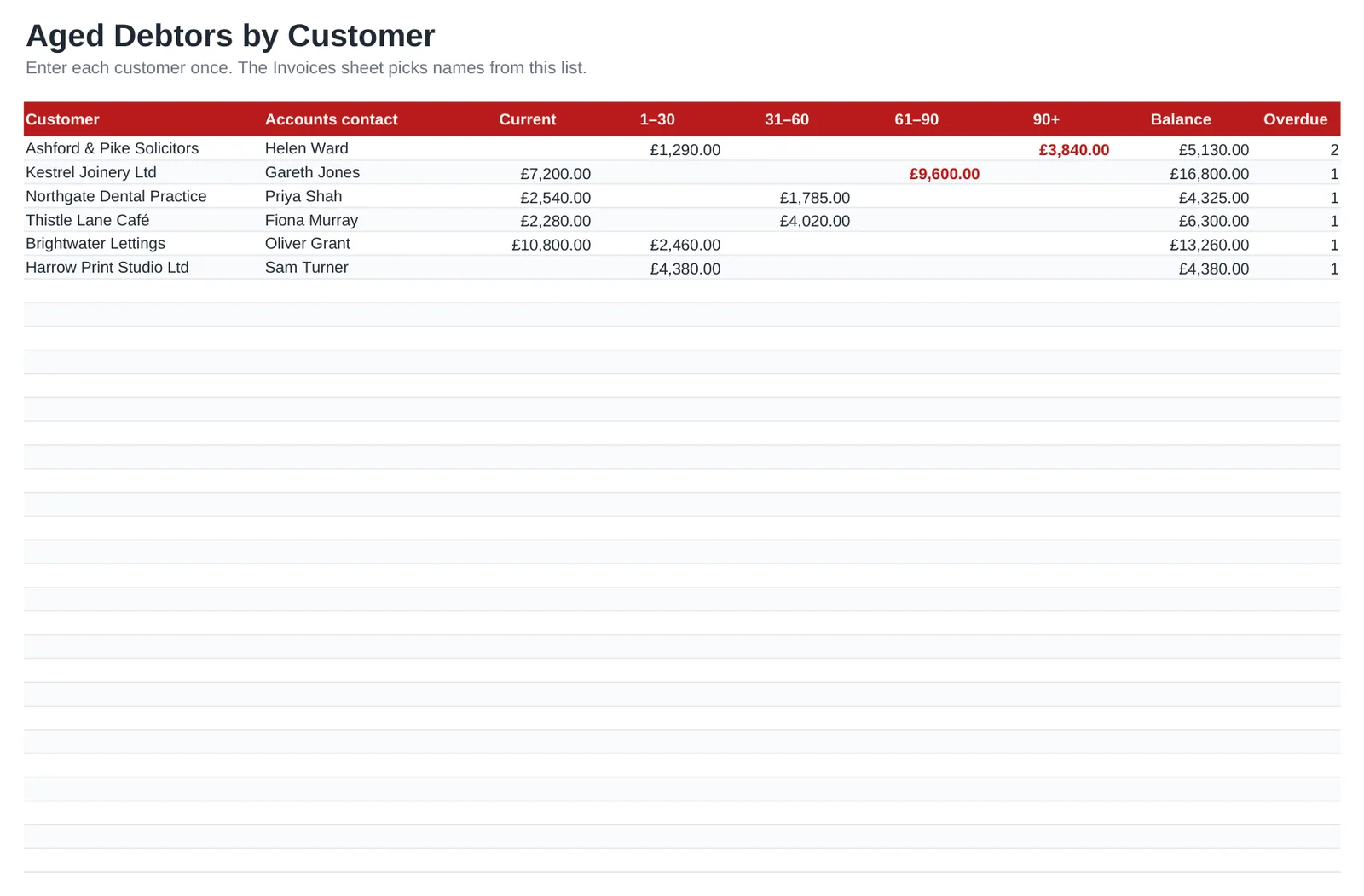
The summary sheet gives you total debtors, the proportion overdue and a chart by ageing band, ready for a month-end review or a conversation with your accountant. The customer sheet shows each debtor's balance across the bands, and the Chase column says when to send a first reminder, a second reminder or a final demand.
What's included
- Sales invoice list with terms in days, due date, amount received and outstanding balance
- Days overdue and ageing band calculated from a report date you can move
- Chase column with first reminder, second reminder and final demand at day thresholds you choose
- Credit control summary: total debtors, overdue proportion, amounts falling due in 30 days, oldest debt
- Aged debtors by customer, with a balance per band and the number of overdue invoices
- Optional late payment interest field, left at 0%. Opens in Excel, Google Sheets and LibreOffice
How to use it
- Delete the example invoices and customers.
- Add each customer once on the Customers sheet with your accounts contact there.
- Log every sales invoice you raise: customer, invoice number, date, terms and invoice total.
- Enter receipts in the Received column as money comes in, including part payments.
- Work through the Chase column each week, starting with final demands.
- Review the Aged debtors sheet at month end and agree any bad debt write-offs with your accountant.
Credit control that works
Agree payment terms before you start the work and print them on every invoice. Thirty days is common in the UK, but smaller clients often accept 14 if you ask up front.
Chase early and by phone. A call to the accounts contact a few days after the due date often uncovers the real issue, such as a missing purchase order number or an invoice sent to the wrong inbox, while there is still time to fix it.
The Late Payment of Commercial Debts legislation lets businesses claim statutory interest and fixed compensation on late B2B invoices. Check the current rules on GOV.UK before you charge, then enter your rate in the interest field.
Frequently asked questions
What is the difference between aged debtors and aged creditors?
Aged debtors is money your customers owe you, from your sales invoices. Aged creditors is what you owe your suppliers. This template covers debtors.
Why does an invoice show no ageing band?
Invoices that are fully paid have no outstanding balance, so they drop out of the bands and the row turns green. They stay in the list as a record.
Can I use it alongside Xero, QuickBooks or Sage?
Yes. Many small businesses export open invoices from their accounting software and paste them into the Invoices sheet to add chasing notes and their own ageing bands.
How do I record a credit note?
Enter it in the Received column of the invoice it reduces. If it clears the invoice, the balance goes to zero and the invoice shows as paid.
Question or problem with this template? Contact us