Home Renovation Budget Template
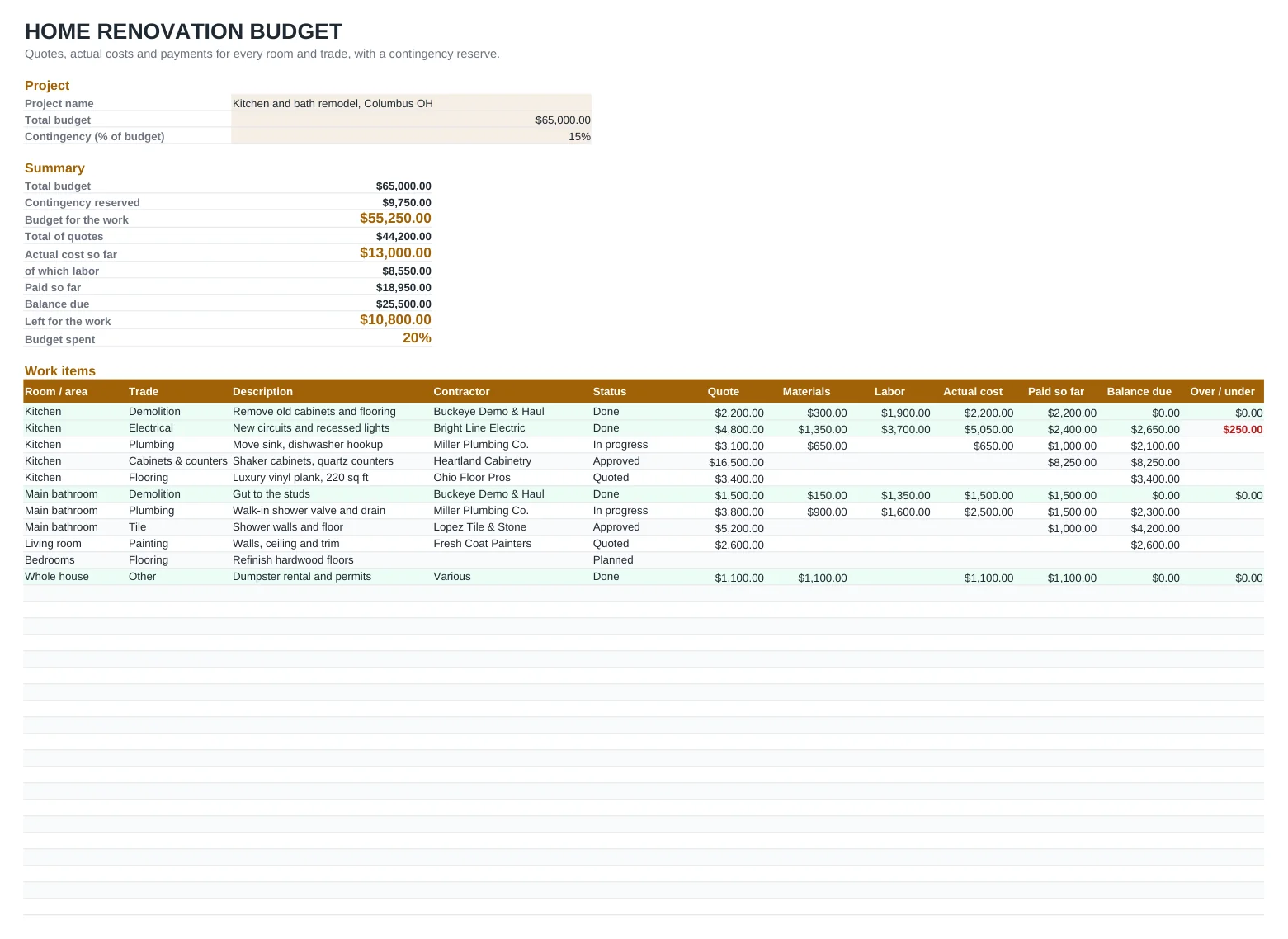
A remodel rarely goes over budget in one big jump. It drifts: a change order here, a pricier tile there, a plumber who finds rotten subfloor. This template catches the drift early. Set your total budget and a contingency percentage, then list every job by room and trade with the contractor's quote. As invoices arrive you enter materials and labor, and each line shows the actual cost, what you have paid, the balance due and whether it came in over or under the quote.
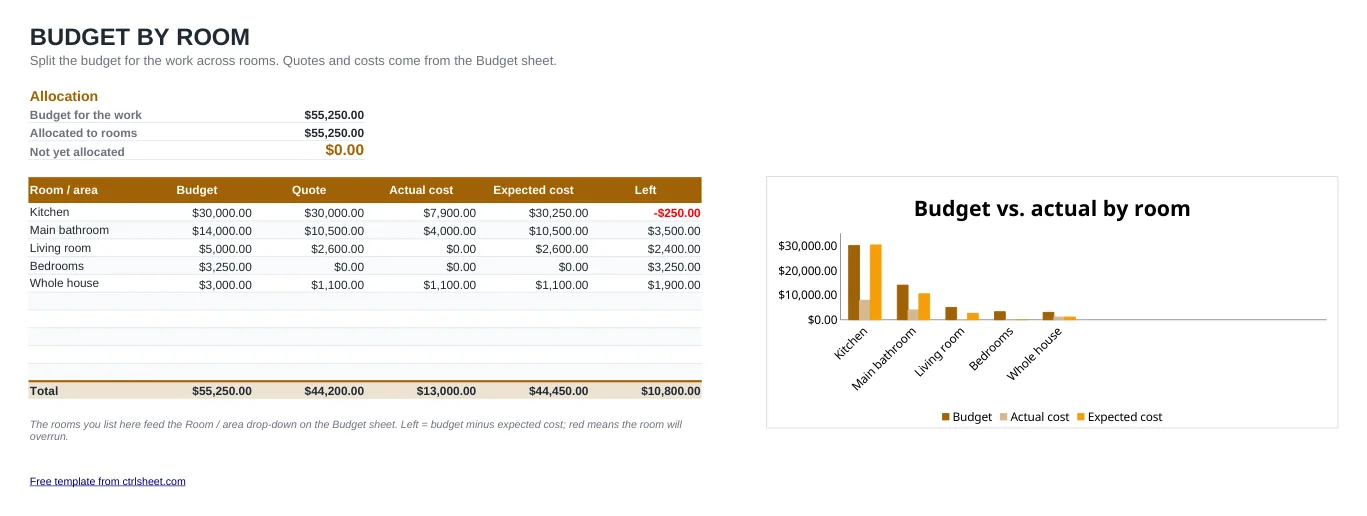
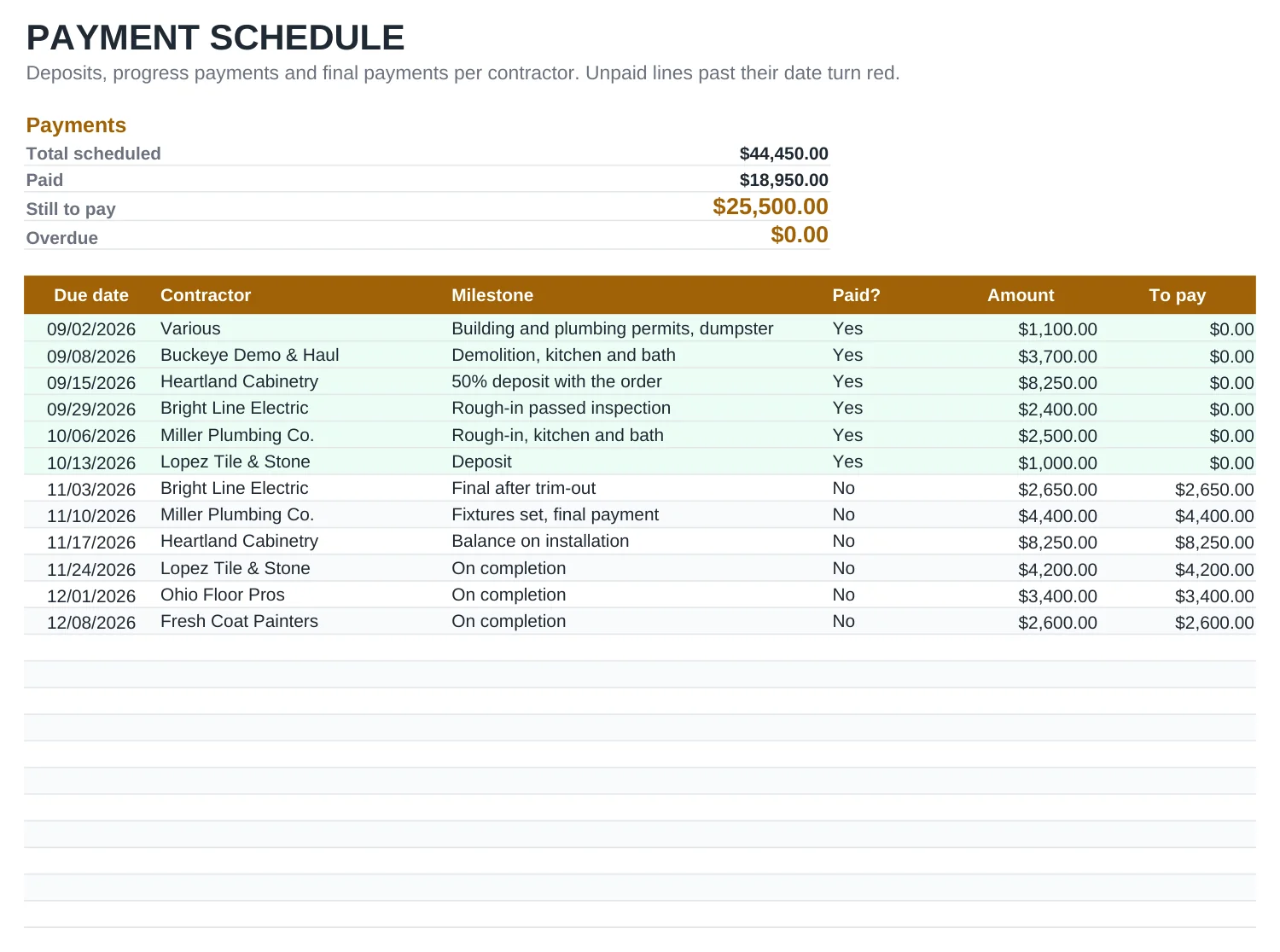
The summary at the top tells you how much of the budget is committed and how much is left once every open balance is paid. A second sheet splits the budget by room and charts budget against actual, and a third keeps the payment schedule, so you always know which deposit or progress payment is due next.
What's included
- Project inputs for total budget and an editable contingency percentage
- Work items by room and trade with quote, materials, labor, actual cost, paid and balance due
- Over / under column that flags lines running above the contractor's quote in red
- Budget by room with allocated, quoted, actual and expected cost, plus a column chart
- Payment schedule with deposits and progress payments; overdue unpaid lines turn red
- Works in Excel, Google Sheets and LibreOffice, with no macros
How to use it
- Clear the sample rows on all three sheets, or type over them.
- Enter the project name, total budget and your contingency percentage on the Budget sheet.
- List your rooms with the money you want to spend on each on the By room sheet.
- Add a line for every job, pick the room, trade and status, and enter the quote.
- When invoices come in, fill in materials, labor and what you paid; mark the line Done when the work is finished.
- Plan deposits and progress payments on the Payments sheet and switch each one to Yes once paid.
How to keep a remodel on budget
Get at least three written bids for each big job and compare what is included, not just the bottom line. One bid may include demolition and haul-away, another may not.
Keep a contingency of 10 to 20 %. Older homes hide surprises behind walls: outdated wiring, galvanized pipes, water damage. The higher end of that range is sensible when you open up walls or floors.
Check with your city or county building department which work needs a permit. Electrical, plumbing and structural changes usually do, and an unpermitted job can come back to bite you when you sell.
Pay as work is completed, not ahead of it. Tie each progress payment to a milestone in the payment schedule, and ask for a lien waiver from the contractor and major suppliers with each payment so nobody can claim against your home later.
Frequently asked questions
How much contingency should I add to a renovation budget?
Most remodelers suggest 10 to 20 % of the project cost. Use the lower end for cosmetic work like painting and flooring, and the upper end for older homes or projects that open walls. The percentage is an input, so you can change it at any time.
What is the difference between the quote and the actual cost?
The quote is what the contractor bid. The actual cost is the sum of the materials and labor you enter as invoices arrive. The Over / under column shows the difference once a line is marked Done or as soon as the actual cost passes the quote.
How is the balance due calculated?
Until a line is Done, the template expects you to pay the quote, or the actual cost if it is already higher, minus what you have paid. Once you mark it Done, it uses the actual cost. That way the remaining budget reflects money you are already committed to.
Can I use it for a kitchen remodel only?
Yes. Use one room, or split the kitchen into areas such as cabinets, counters and appliances on the By room sheet. The budget, quotes and payments work the same way.
Does it work in Google Sheets?
Yes. Open a copy in Google Sheets or download the Excel file. The drop-down lists, totals, conditional colors and chart work in Excel, Google Sheets and LibreOffice.
Question or problem with this template? Contact us