To-Do List Template
Keep every task in one list you can sort, filter and share. Add the task, the project, who owns it, the priority and the due date, then update the status as you go. Overdue tasks turn red, tasks due in the next two days turn yellow and finished ones fade out.
The counters at the top show how many tasks are open, how many are overdue and how much of the list is done. It works as a personal to-do list, a household chore list or a simple team task tracker.
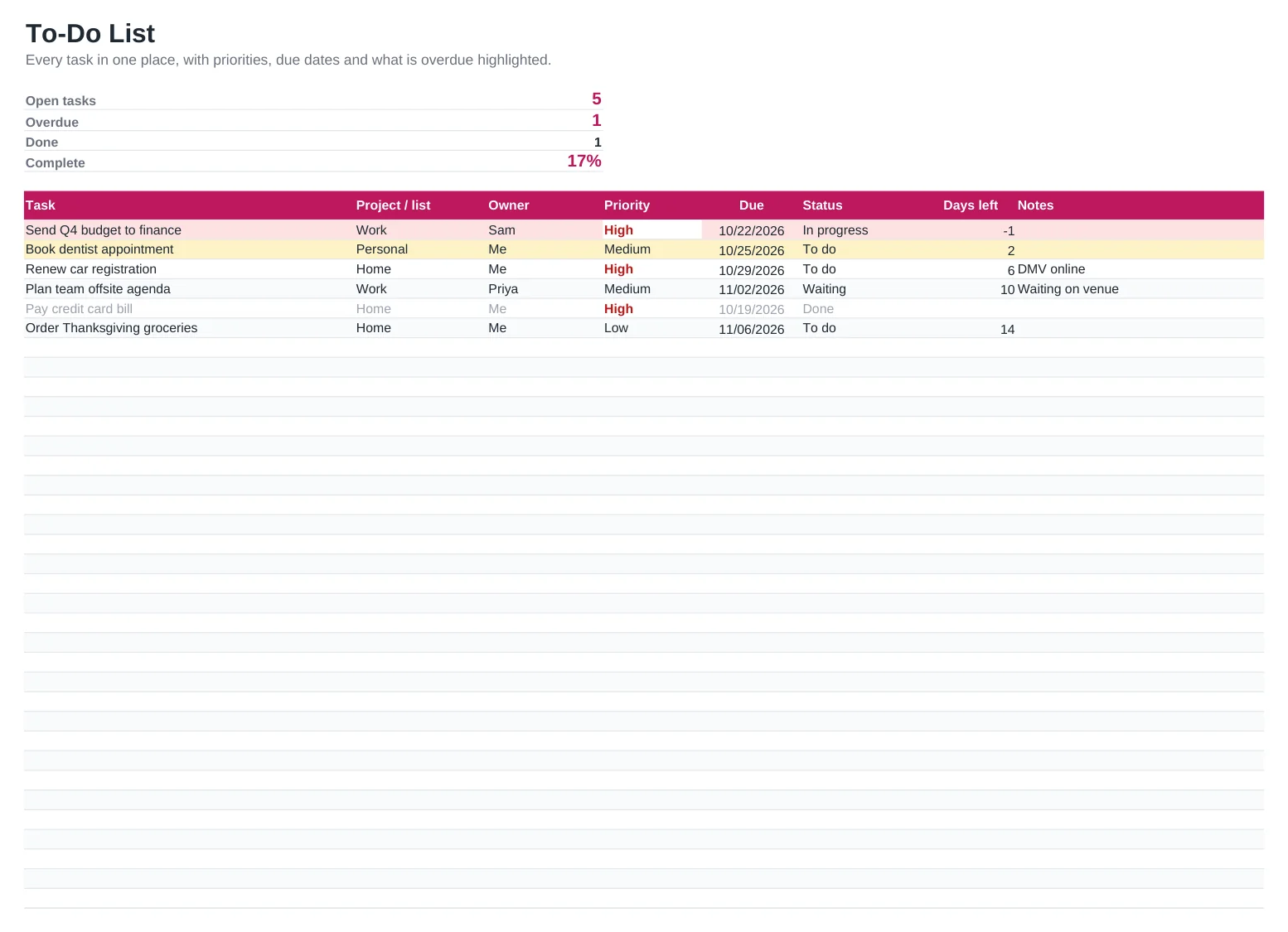
What's included
- Priority and status drop-down lists
- Automatic red highlight for overdue tasks and yellow for tasks due soon
- Days left until each due date
- Counters for open, overdue and completed tasks with a completion percentage
- Room for 40 tasks, and you can add as many rows as you need
How to use it
- Replace the sample tasks with your own.
- Add a project or list name to group related tasks.
- Set a priority and a due date for each task.
- Update the status as you work, and mark tasks Done when finished.
- Sort by due date or filter by owner to plan the day or the week.
How to keep a to-do list that works
Write tasks as actions that start with a verb, such as "Call the bank about the card" rather than "Bank". It makes the next step obvious when you come back to the list.
Pick no more than three High-priority tasks a day. If everything is urgent, nothing is.
Review the list for ten minutes every Friday. Clear out done tasks, move dates that slipped and add anything new so Monday starts with a clean plan.
Frequently asked questions
Is this to-do list template free?
Yes. Download and use it as much as you like, with no sign-up.
Can my team share it?
Yes. Open the Google Sheets version and share it, or save the Excel file to OneDrive or SharePoint. Everyone can update tasks at the same time.
Do the due dates update by themselves?
The Days left column and the highlighting use today's date, so they change every day you open the file.
Can I add my own statuses?
Yes. Edit the drop-down list under Data validation. Keep Done as the final status so the counters keep working.