Gantt Chart Template
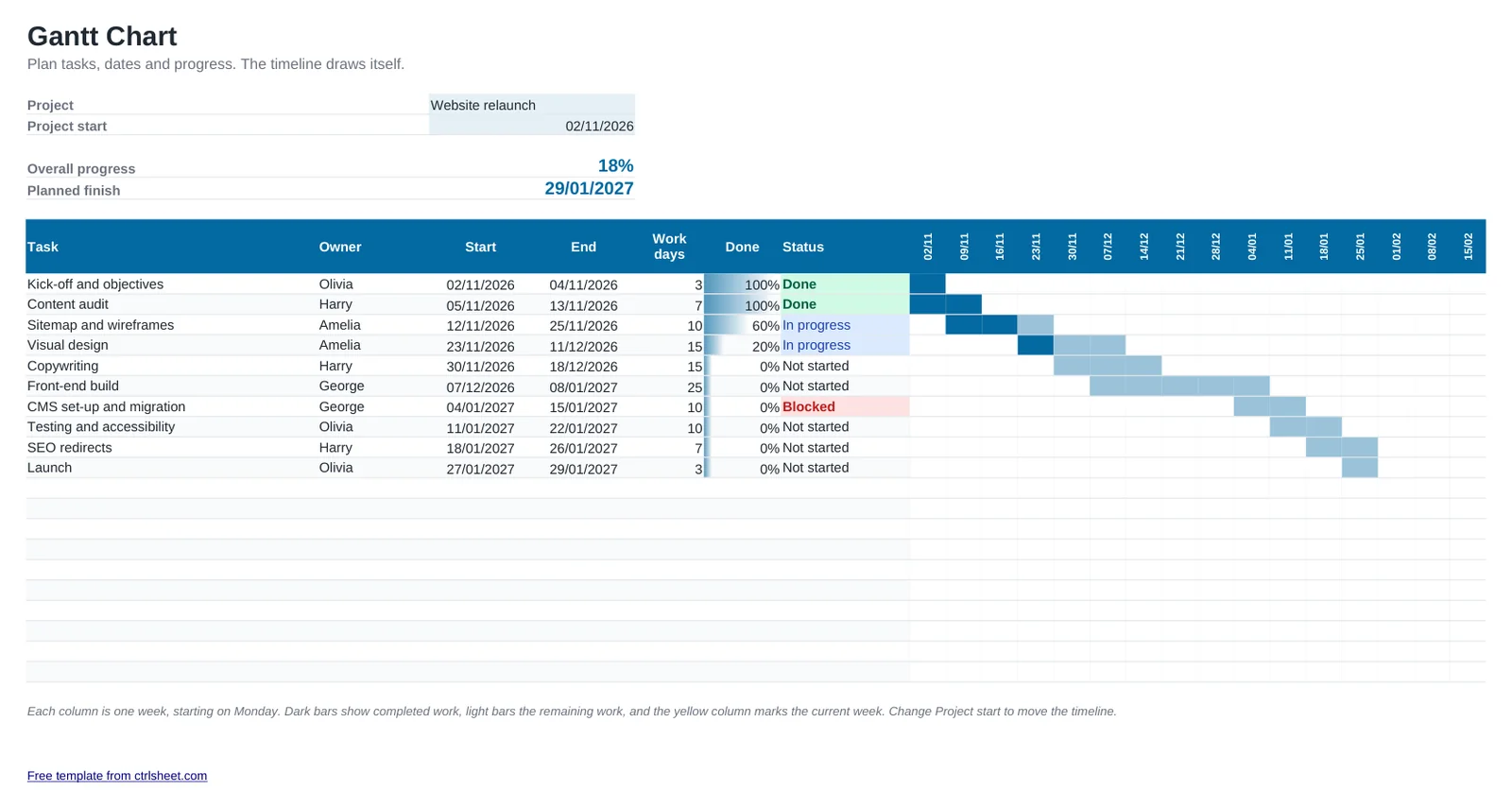
A Gantt chart shows a whole project at a glance: what happens when, who owns each task and how far along it is. In this template you only type the tasks, owners, start and end dates and percentage complete. The weekly timeline fills itself in, so there are no bars to draw.
It also counts working days for each task, works out overall progress weighted by task length and shows the planned finish date. Change the project start date and the whole timeline moves with it.
What's included
- A 16-week timeline that draws itself from your start and end dates
- Progress shading inside each bar and the current week highlighted
- Working days per task, excluding weekends
- Overall progress weighted by task duration, plus the planned finish date
- Status drop-down with colour coding for not started, in progress, done and blocked
How to use it
- Enter the project name and start date at the top.
- List each task with its owner, start date and end date.
- Update the Done percentage as work progresses.
- Set each task's status so blocked work stands out.
- Share the file, or print it landscape on A4 for progress meetings.
How to plan a realistic project
Break the work into tasks of one to two weeks. Long tasks hide delays, and very short ones make the plan hard to maintain.
Allow for UK bank holidays, the Christmas shutdown and school holidays, when people are away and progress slows. The working-days column counts weekends out but not bank holidays, so add a little buffer around them.
Review the chart in a short weekly meeting. Update progress and status, and deal with blocked tasks first.
Frequently asked questions
Is this Gantt chart template free?
Yes. Use it for personal, school or business projects without paying or signing up.
Can I extend the timeline?
Yes. Copy the last week column and paste it to the right as many times as you need. The dates and bars carry on automatically.
Does it work in Google Sheets?
Yes. The bars use conditional formatting, which Google Sheets supports, so the chart looks the same.
Can I link tasks together?
Yes. Set a start date to a formula such as the previous task's end date plus one day. When the first task moves, the next one follows.