Expenses Spreadsheet
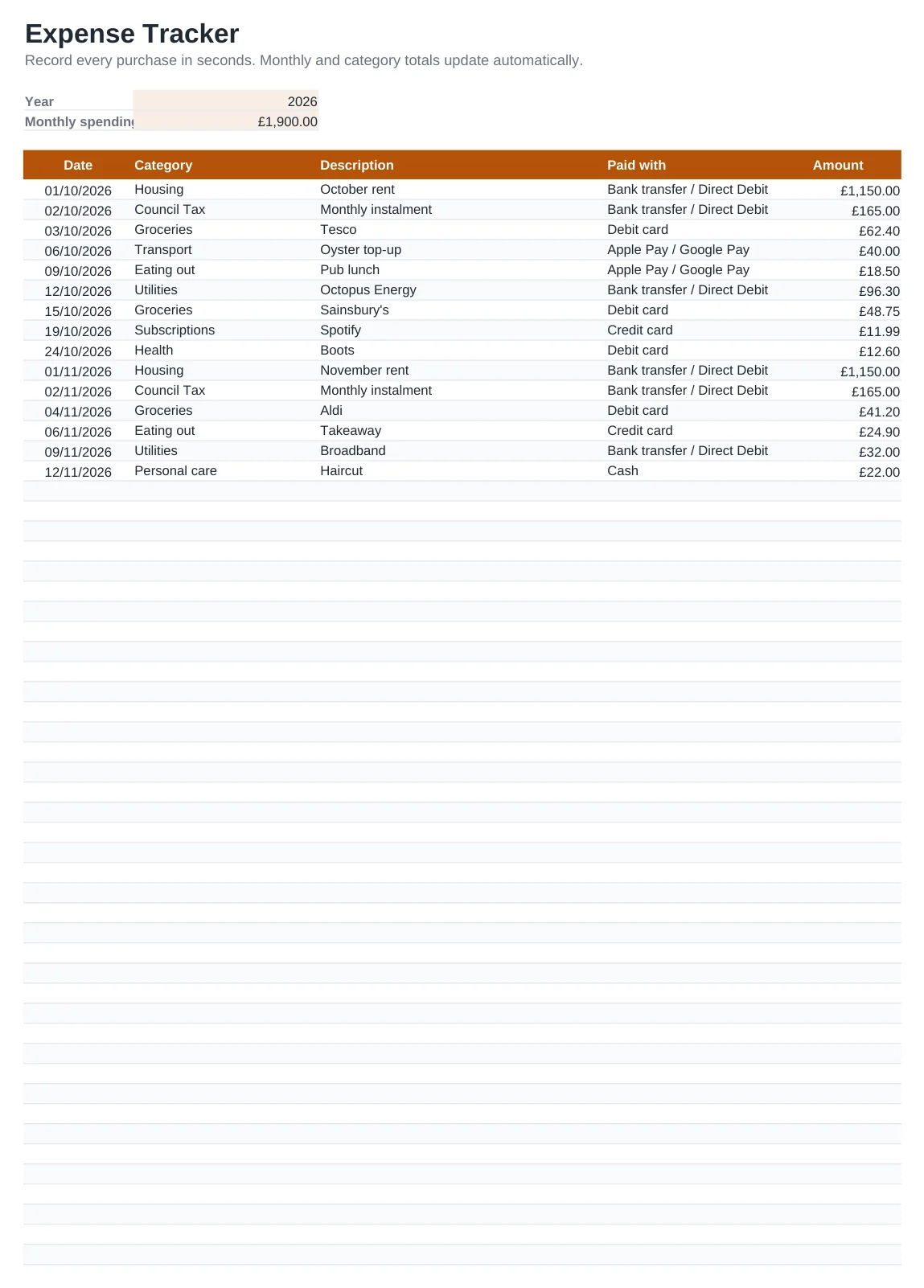
Seeing exactly where your money goes is the quickest way to spend less. This expenses spreadsheet is a simple log with one row per purchase: the date, category, description, how you paid and the amount. Everything else is automatic.
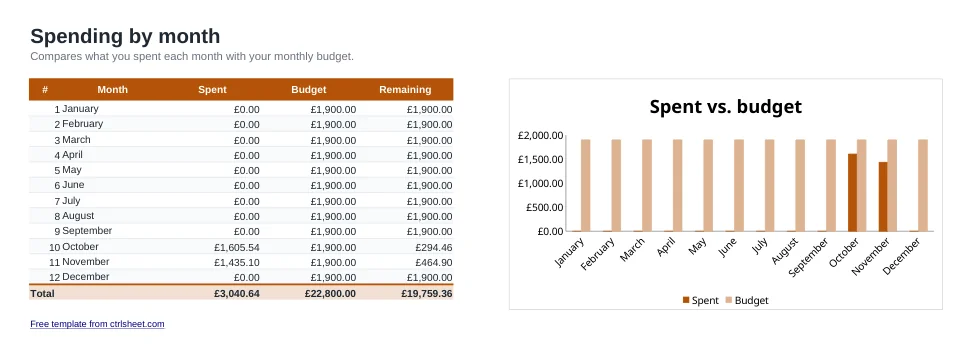
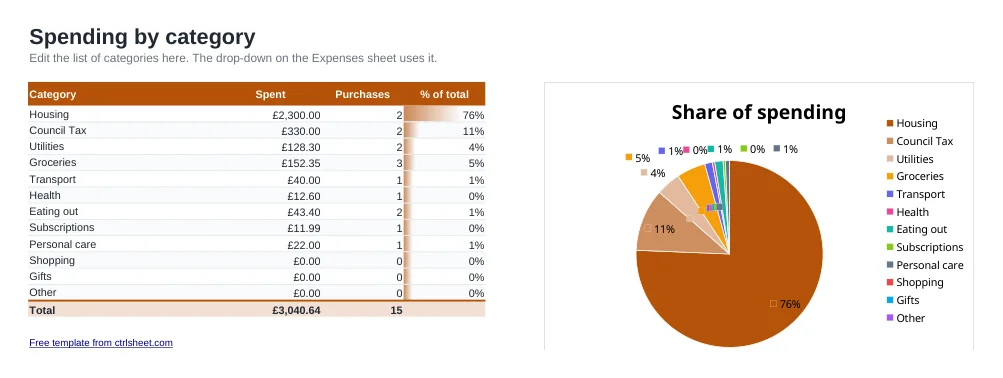
The By month sheet compares each month with your budget, and By category shows your biggest areas of spending with a chart. It works for personal and household spending, and it is just as useful for recording business expenses for your Self Assessment return.
What's included
- Quick daily log with category and payment-method drop-down lists, including Direct Debit and contactless
- Monthly totals for the whole year compared with your monthly budget
- Spending by category with number of purchases, share of the total and a pie chart
- Room for 80 entries, and you can insert more rows whenever you need
- Works in Excel, Excel for Mac, Google Sheets and LibreOffice. No macros
How to use it
- Set the year and your monthly spending budget on the Expenses sheet.
- Adjust the category list on the By category sheet.
- Record each purchase with its date, category, payment method and amount.
- Open By month to see how each month compares with your budget.
- Use By category to find where cutting back would make the biggest difference.
Make it a habit
Record spending on the same day. It takes less than a minute, and small contactless payments are easy to forget by the end of the week.
Once a month, download your bank statement as a CSV file and compare it with your log. Most UK banks let you export transactions from their app or online banking.
If you are self-employed, keep allowable business expenses in their own category and hold on to receipts. HMRC expects you to keep records for at least five years after the 31 January Self Assessment deadline for that tax year.
Frequently asked questions
Is the expenses spreadsheet free?
Yes. Download it, edit it and use it as much as you like, with no sign-up or payment.
Can I use it on my phone?
Yes. Open the Google Sheets version in the Google Sheets app, or use the Excel mobile app, and add expenses on the go.
How do I track a new year?
Save a copy of the file, clear the rows on the Expenses sheet and change the Year cell. The monthly summary follows the new year.
Can I use my own categories?
Yes. Edit the list on the By category sheet and the drop-down on the Expenses sheet updates automatically.