Savings Tracker Spreadsheet
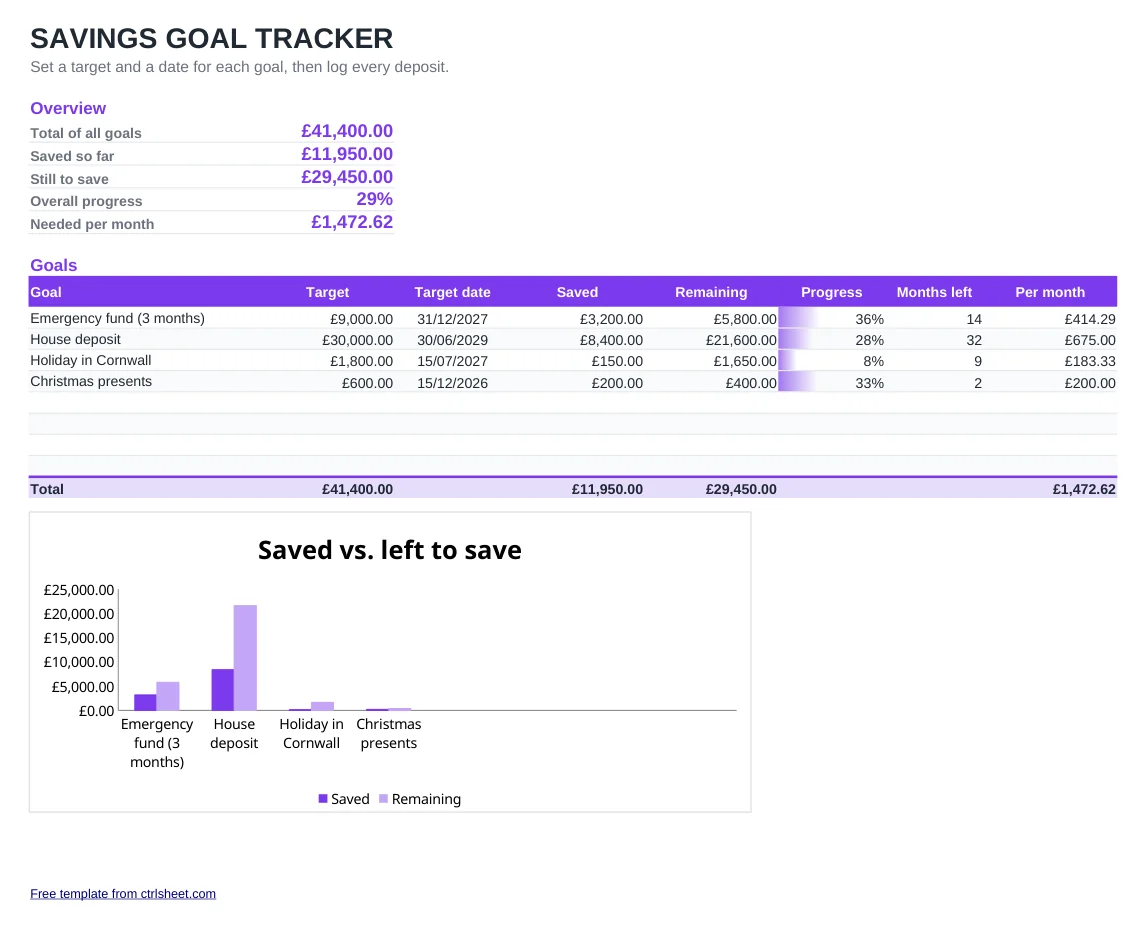
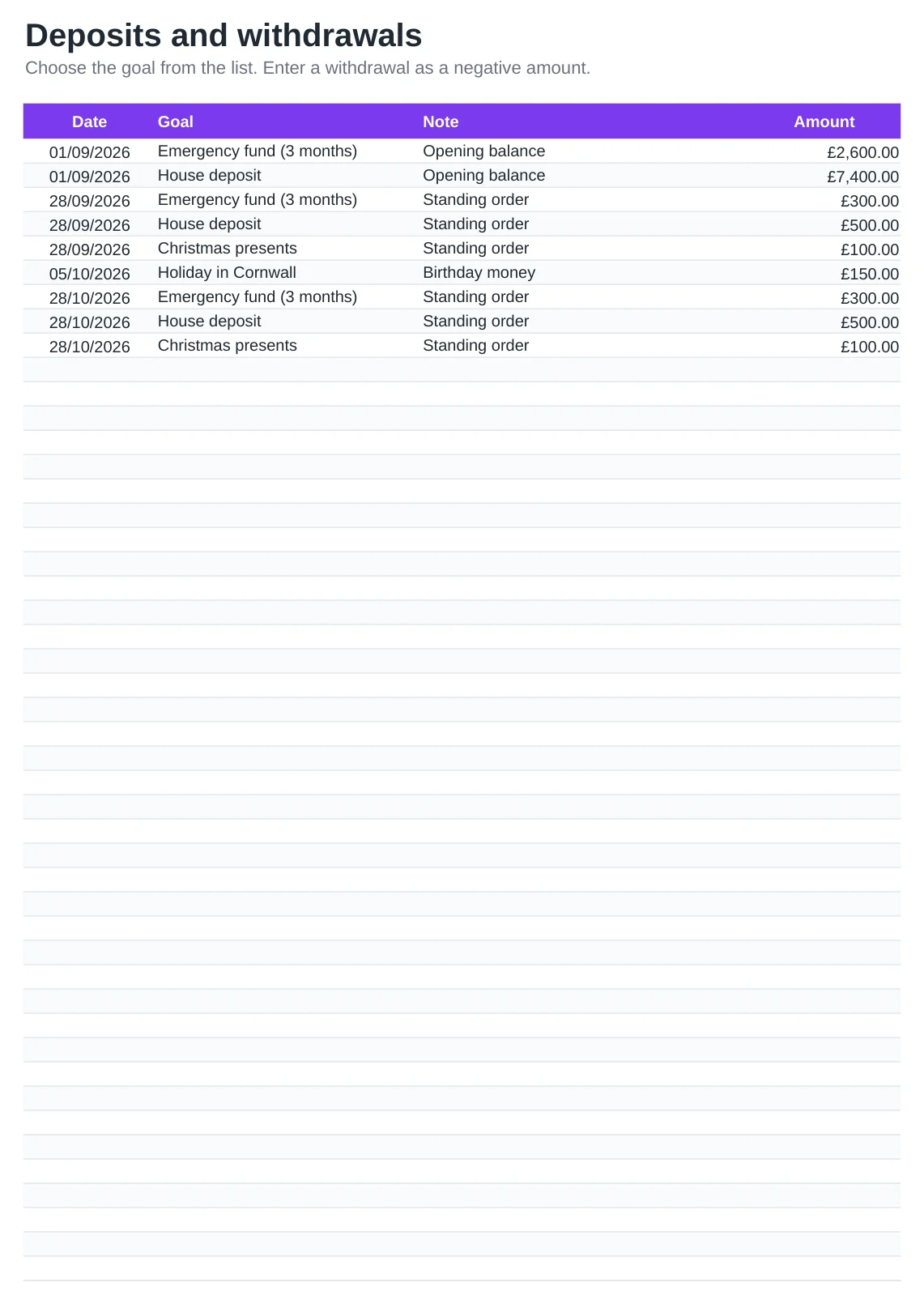
Saving for a house deposit, a rainy-day fund or Christmas? Put each goal on the first sheet with the amount in pounds and the date you want to reach it. Every standing order, one-off top-up or withdrawal goes on the second sheet, and the spreadsheet totals it per goal.
You get the balance and the remaining amount for each goal, a progress bar and how much to put aside each month to stay on track. Dates use the UK format and the layout prints on A4.
What's included
- Goals in pounds sterling with target date, remaining balance and progress bar
- Monthly figure to save per goal, worked out from today to the target date
- Log for standing orders, top-ups and withdrawals with a drop-down of your goals
- Summary of total target, total saved and overall progress
- Chart comparing saved and remaining amounts. Excel, Google Sheets and LibreOffice
How to use it
- Clear the example goals and entries.
- Enter each goal, its target in pounds and the date you want to reach it.
- Add what you already have for each goal as an opening entry on the Deposits sheet.
- Log every standing order, top-up or withdrawal (as a negative) against its goal.
- Use the Per month column to set the right standing order amount.
Tips for UK savers
Keep goal money in an easy-access savings account separate from your current account, so it is not spent by accident. Many banks let you open several pots or accounts, one per goal.
If you are saving for a first home, check whether a Lifetime ISA could top up your deposit. Rules, limits and penalties change, so read the current details on GOV.UK before you open one.
A standing order set for the day after payday is the simplest way to stay consistent. Match it to the Per month figure and review it whenever a goal is reached.
Frequently asked questions
Is the savings tracker spreadsheet free?
Yes. Download it for Excel or open a copy in Google Sheets. There is no sign-up and no limit on how you use it.
Can I use it with Monzo or Starling pots?
Yes. Create one goal per pot and log each transfer into it. The balances in the tracker should match your pots.
How do I take money out of a goal?
Enter the withdrawal on the Deposits sheet as a negative amount. The goal's balance and progress update straight away.
Does it work out interest?
No. It tracks the money you pay in and take out. If you earn interest, add it as a deposit when it is paid.