Savings Goal Tracker
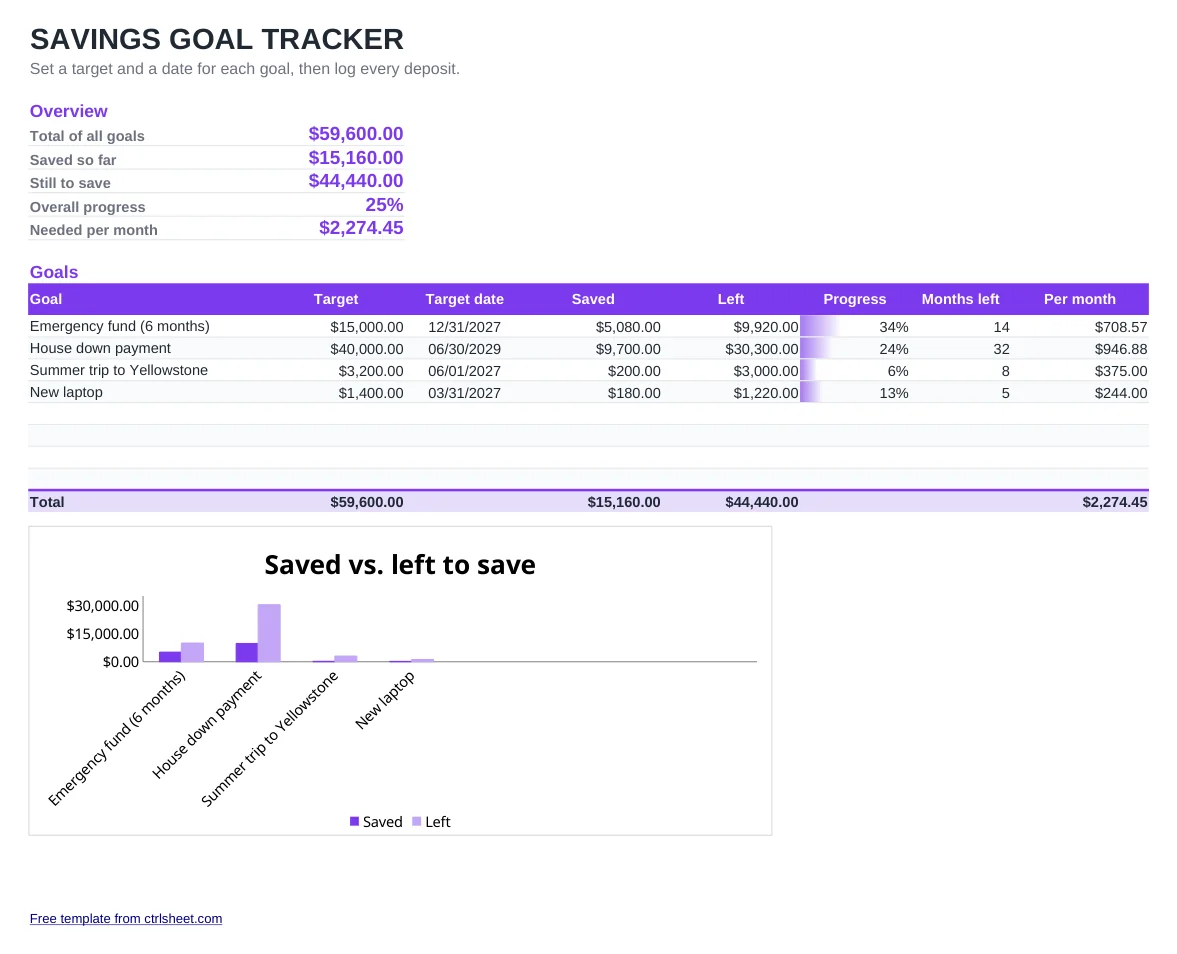
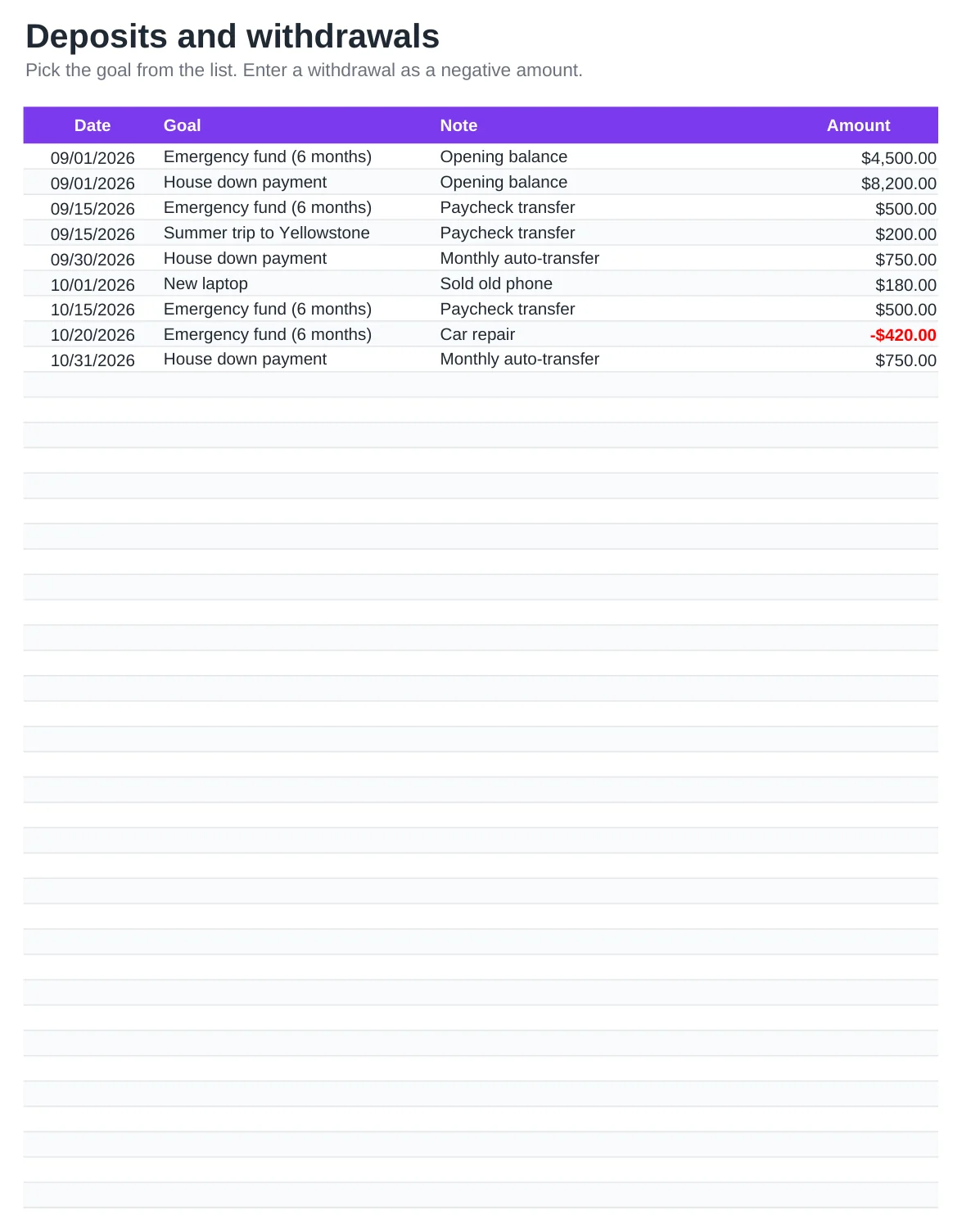
Give every dollar you put aside a job. List your goals, such as an emergency fund, a house down payment or a trip, with a target amount and a target date. Then record each deposit or withdrawal on the second sheet and the tracker adds it up per goal.
For every goal you see what is saved, what is left, a progress bar and the amount you need to set aside each month to hit the date. The overview at the top sums it all, so you know your monthly savings number at a glance.
What's included
- Up to 8 goals with target amount, target date and a progress bar each
- Monthly amount needed per goal, recalculated from today to the target date
- Deposit log with a drop-down to pick the goal; withdrawals are entered as negative amounts
- Overview with total target, total saved, amount left and overall progress
- Bar chart of saved vs. left for every goal. Works in Excel, Google Sheets and LibreOffice
How to use it
- Delete the sample goals and deposits, or overwrite them.
- Type each goal with its target amount and target date on the Savings goals sheet.
- Record your current balance for each goal as an opening deposit on the Deposits sheet.
- Add a row every time you move money in or out, choosing the goal from the list.
- Check the Per month column and set up automatic transfers for that amount.
Making your savings goals stick
Start with an emergency fund. Three to six months of essential expenses is a common rule of thumb, and it keeps a car repair or a medical bill from ending up on a credit card.
Automate it: schedule a transfer for the day after payday, sized to the Per month figure. Money you never see in your checking account is much easier to leave alone.
Keep goal money in a separate savings account so it does not mix with spending money. The tracker works the same whether you use one account for all goals or one per goal.
Frequently asked questions
Is this savings tracker free?
Yes. Download it or copy it to Google Sheets and use it for as many goals as you like, with no sign-up and no watermark on your data.
How does it calculate the monthly amount?
It counts the calendar months from today until each target date and divides what is left to save by that number. If the date is this month or has passed, it shows the full remaining amount.
How do I record a withdrawal?
Add a row on the Deposits sheet with a negative amount, for example -250. The goal's saved total and progress bar go down accordingly.
Can I track more than 8 goals?
Yes. Copy an empty goal row and insert the copy between two existing goal rows. The formulas come with it, and the totals, the drop-down list and the chart include the new row.